
portierX reads a CSV file and turns each row into a person. It is the quickest way to load a department, a contractor list, or a whole site in one go.
What the file has to look like
The column names are read in English, whatever language your interface is set to. A German or French heading is not recognised, and that column is ignored.
A correct file starts like this.
first_name,last_name,email,mobile_phone,user_id,application_id
Anna,Berger,[email protected],+61400123456,AB1042,
Tom,Fischer,[email protected],,TF0771,
Column | What goes in it |
|---|---|
first_name | The given name. The only column that has to be there. |
last_name | The family name. |
Also how portierX recognises someone it already holds. | |
mobile_phone | The mobile number, written any way you like. |
user_id, application_id | Link the person to their record in a connected locking system. Leave both empty unless someone gave you the values. |
Capitals and stray spaces do not matter, so First Name works as well as first_name. A column called phone or mobile is read as the mobile number, email_address as the email. Any column portierX does not recognise is ignored, so your own extra columns can stay.
The file has to be a real CSV, comma separated, and under 10 MB.
Run the import
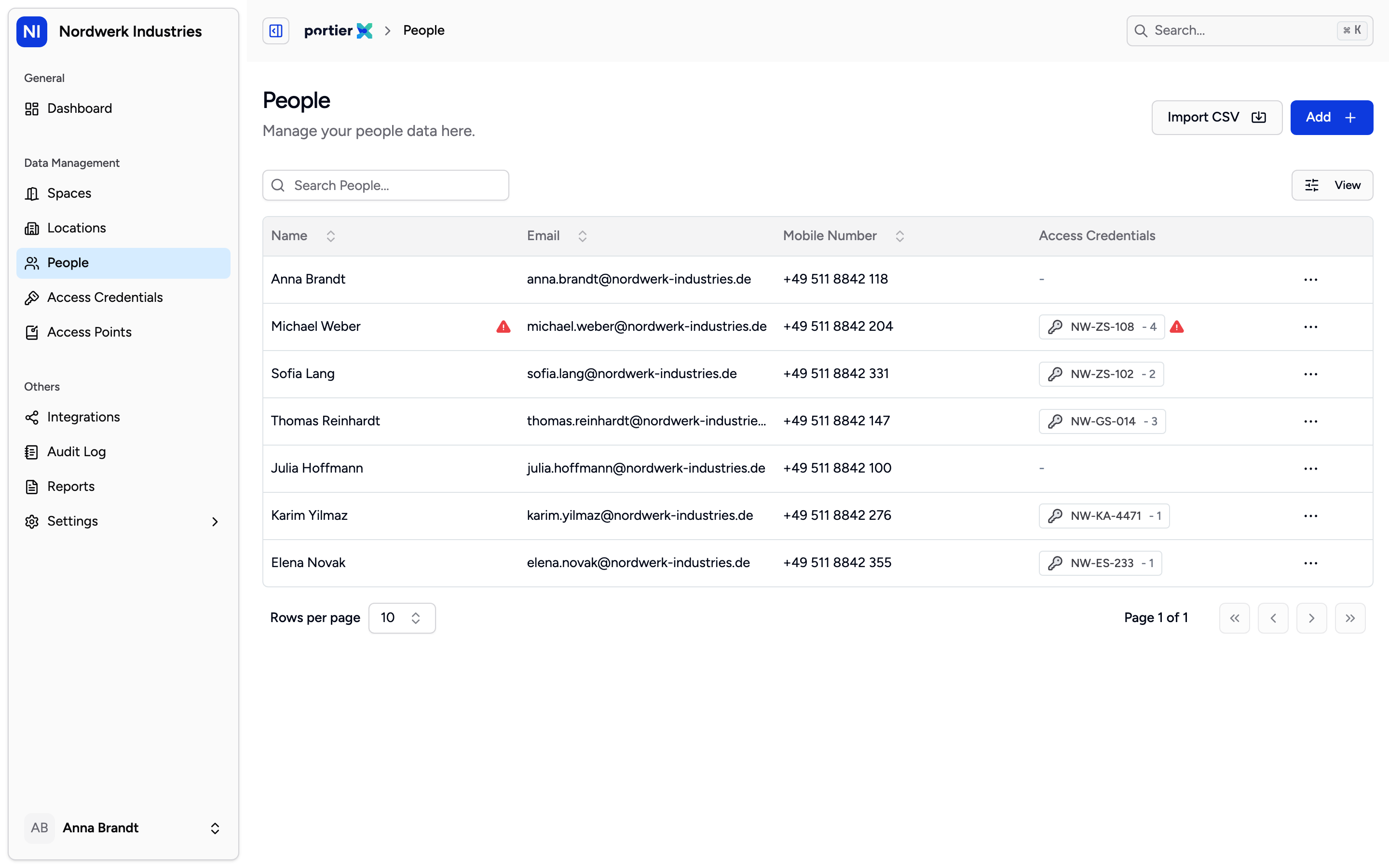
The people list. The import button sits next to the button for adding one person, and appears only if your role may add people at all.
Open People and choose Import CSV. The panel is titled Import Individuals from CSV.
Under CSV Template, choose Download Template. The template carries the English header row in every interface language, so editing it is the shortest route to a file that works.
Drag your file onto the panel, or browse for it.
Import CSV starts the run. Cancel closes the panel before that, not after.
A large file is processed in the background. The panel shows progress and stays open until the run ends. You cannot stop an import once it has started, which is the line worth reading twice before you upload 800 rows.
At the end you get counts for Total, Success, Failed and Processed, and Import Another File takes you to the next one.
People portierX already holds
Matching is done on the email address. A row whose address is already in your organisation does not create a second person, it updates the one that is there.
The row wins. An email address next to an empty last name clears the last name on the existing record. The update rewrites the whole record, so an existing end date is cleared and the person drops out of every group they were in. So import complete rows, and treat a second import of the same file as a rewrite, not a top-up.
A row with no first name is skipped without a word. It does not count as a failure, it never arrives, which is why the number of people created can be lower than the number of lines in your spreadsheet.
What does not work yet
The import creates and updates people. It issues no credentials, puts nobody in a group and opens no space. That is separate work afterwards.
Excel files are not accepted. Save as CSV first, comma separated. If the import fails without processing a single row, the file was most likely saved with semicolons.
Failed rows are counted but not named. There is no error report yet, whatever the notes on the import panel promise, so a failed import means checking your own file.
An import cannot be undone. Removing the people it created is manual work.