
portierX records the hand back the same way it records the hand out. You confirm who the credential comes back from and when, and the assignment closes.
Where the action sits
The return lives on the credential, not in a list row menu.
From Access Credentials, find the credential and choose View in its row menu. The detail panel opens with Remove Access in the header.
From People, open the person and go to Assigned Access Credentials. Tick one or more credentials and a bar appears above the table carrying Remove Access. That is the faster path when someone leaves and hands back everything at once.
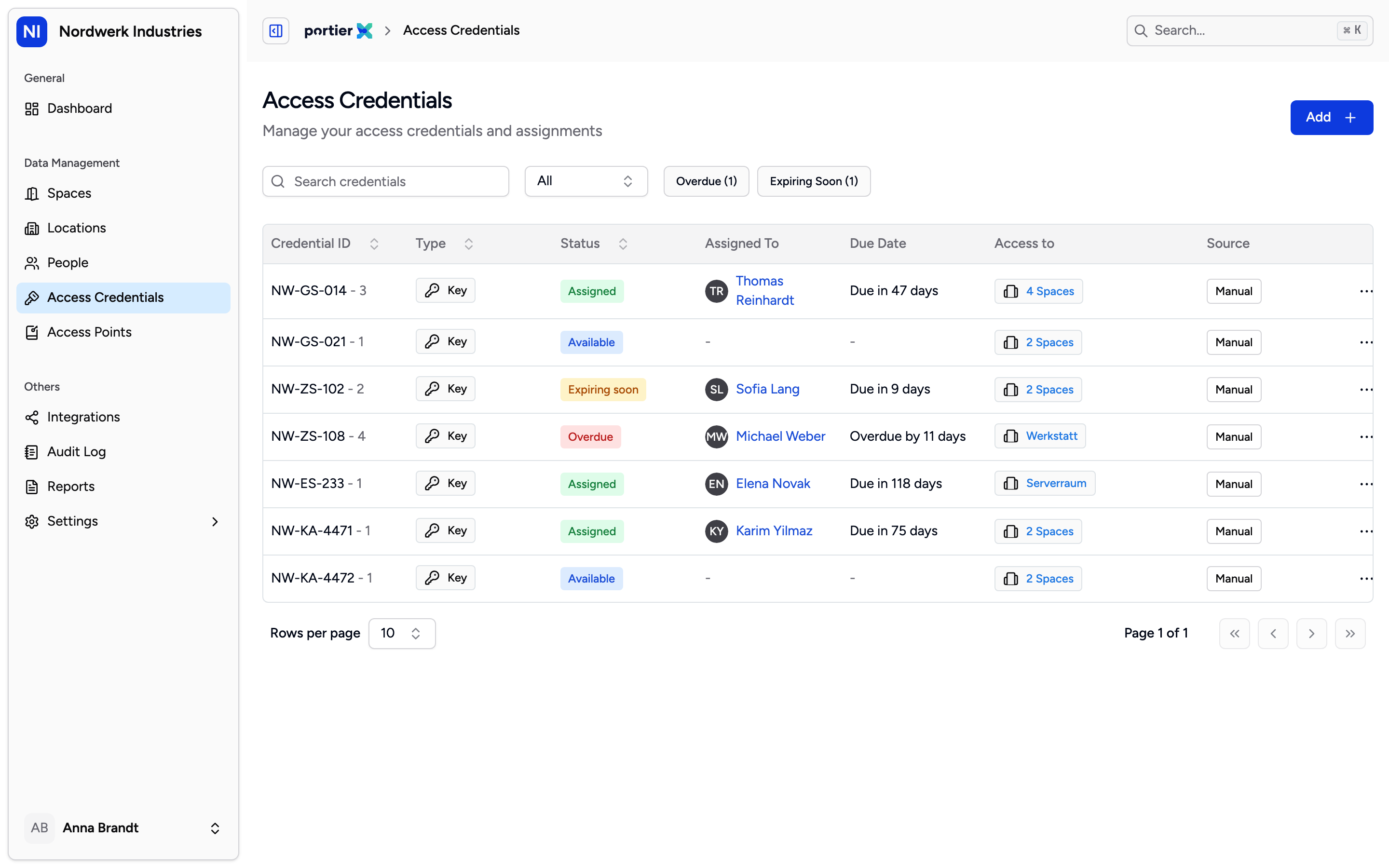
The Status column is where you check your work. A credential that has come back reads Available, and Assigned To is empty.
What you confirm
Confirm to Remove Access opens as a side panel. Remove from names the person, and every affected credential is listed below.
Each credential carries its own return date and time. It defaults to now and cannot be set in the future. A key that landed on your desk on Friday and is entered on Monday gets Friday. With several credentials, set one date and use Apply for All.
Confirm stays greyed out until every credential has a return date and the box under the list is ticked. That box is the sentence you are signing.
What changes
The status moves from Assigned to Available and the assignment closes. The credential leaves the person's list and can be issued again. The person, the credential, the time you set and your own name go into the record.
Where an electronic locking system is connected, the return cancels that person's key in that system too. A digital SALTO credential also loses its door links, because portierX cannot re-program a card that has left the building.
Available is a system word, not a shelf
Available means nobody is assigned to that credential in portierX. It says nothing about where the metal is.
That box is you stating the key came back, and portierX takes you at your word. It cannot see a key, so counting physical custody stays a human job. Record the return at the counter, while the key is in your hand, not later from memory.
When a key comes back late
A credential is overdue once the earlier of two dates has passed, its own due date or the end date of the person holding it. The Overdue filter on the Access Credentials list carries the current count and lists them all.
Going overdue also triggers an email, once a day at 07:00 in your organisation's time zone, to its active users. It is a prompt and nothing more. portierX revokes nothing when a key is late.
What does not work yet
A return cannot be undone. You correct a mistaken one by assigning the credential again, and the wrong return still stands in the record.
You cannot record a return against a different person. What closes is the assignment of whoever holds the credential.
The return does not yet appear as its own entry in the Audit Log. What you see there around a return comes from the locking system sync.
Returning a key early does not cancel an overdue reminder already scheduled, so the email can still arrive on the original due date.