Assigning access is the job you will do most often in portierX. You pick a person, you pick the spaces they need to get into, and portierX works out which keys or cards get them there.
Start from the person or from the space. You land on the same Assign Access screen either way, with the part you came in from already filled and the rest empty.
Three steps sit on one screen. Choose a Person and Choose Spaces on the left, Assign Credentials on the right. Confirm Assignment is top right and stays greyed out until all three steps are filled.
Pick the person from the dropdown. Change swaps them and clears the credentials you had picked. The spaces stay. Add spaces with Manage Space, several at a time, and take one back out with Remove on its row. Up to 100 spaces per request, above which the recommendation returns an error.
Every space you add gets a row on the left, and the row changes the moment you pick a credential. Covered means something in your selection opens it. Uncovered means nothing does yet. Partially Covered marks a space that a credential the person already holds is covering, and names that credential beside it. A row can also read Already has access, or No Access Point connected.
No Access Point connected is the one worth stopping for. No credential will ever cover that space, because no door has been linked to it. You fix that under Access Points, not on this screen.
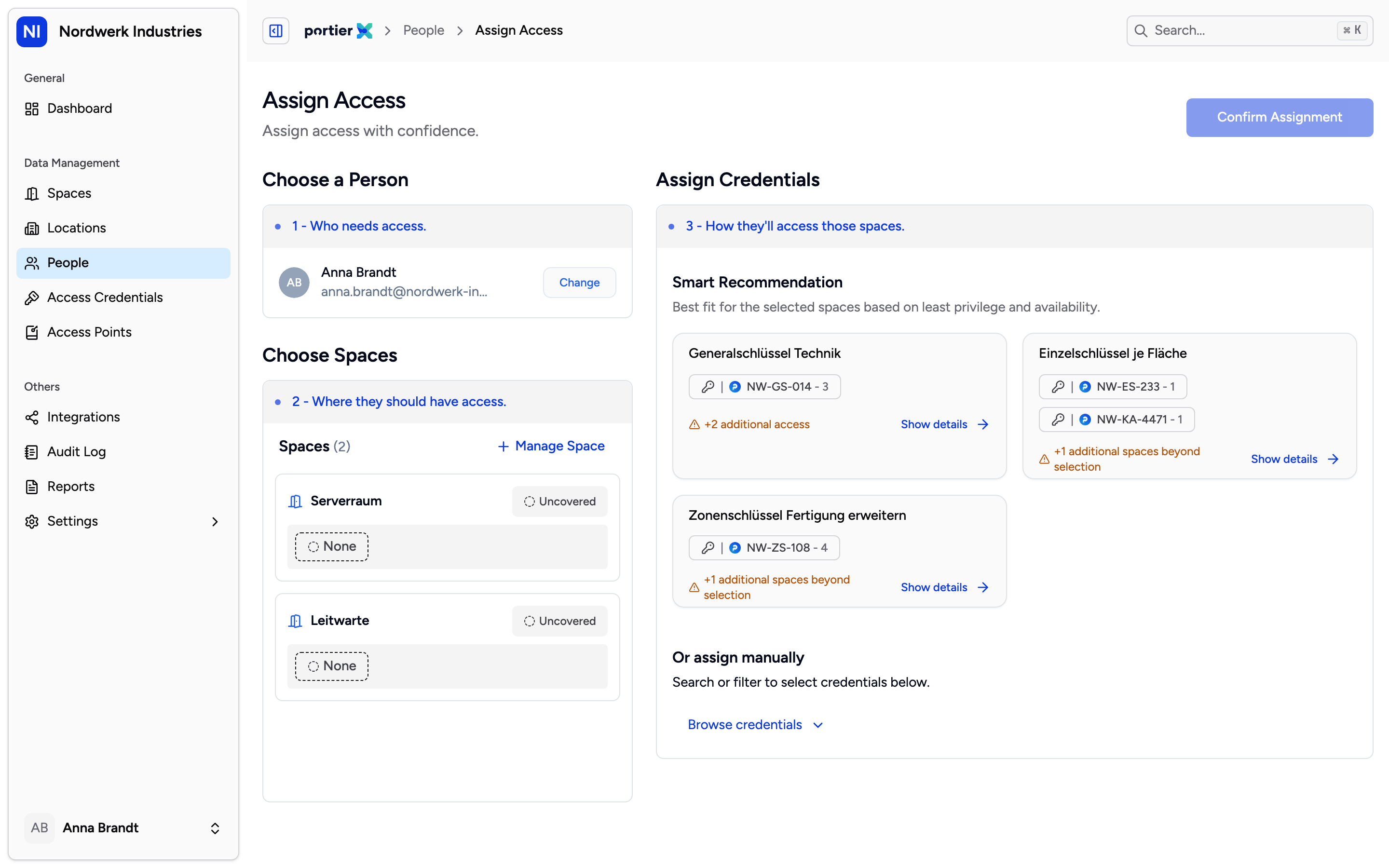
The cards are ranked, not just listed. The top one is the recommendation's own pick, the ones under it are there so you can disagree with it.
Under Smart Recommendation portierX proposes ready-made sets. Each card names the credentials in it, and Show details opens the breakdown space by space. When one set covers every space you asked for, the top card is titled Best Option. When none of them can, the cards carry names drawn from your own stock instead.
What it aims at is simple. Cover every space you asked for, with as few keys as possible, and hand over as little extra access as possible. That extra access is called overshare. A key that opens the two rooms you asked for plus four nobody asked for overshares by four.
On the Best Option card, the line at the bottom tells you where you stand.
Extra spaces | What the card shows |
|---|---|
0 | Best fit for the selected spaces, in green |
1 to 5 | the count of extra access, in orange |
6 or more | the same count, in red |
Hover that line and Potential Over-coverage lists the spaces the person would gain on top.
The calculation is fixed. It does not learn from what you assigned last week and it does not adapt to your habits. Same spaces, same credential pool, same answer, every time.
The recommendation is a shortcut, not a gate. Under Or assign manually, Browse credentials opens the full list and you tick as many as you like.
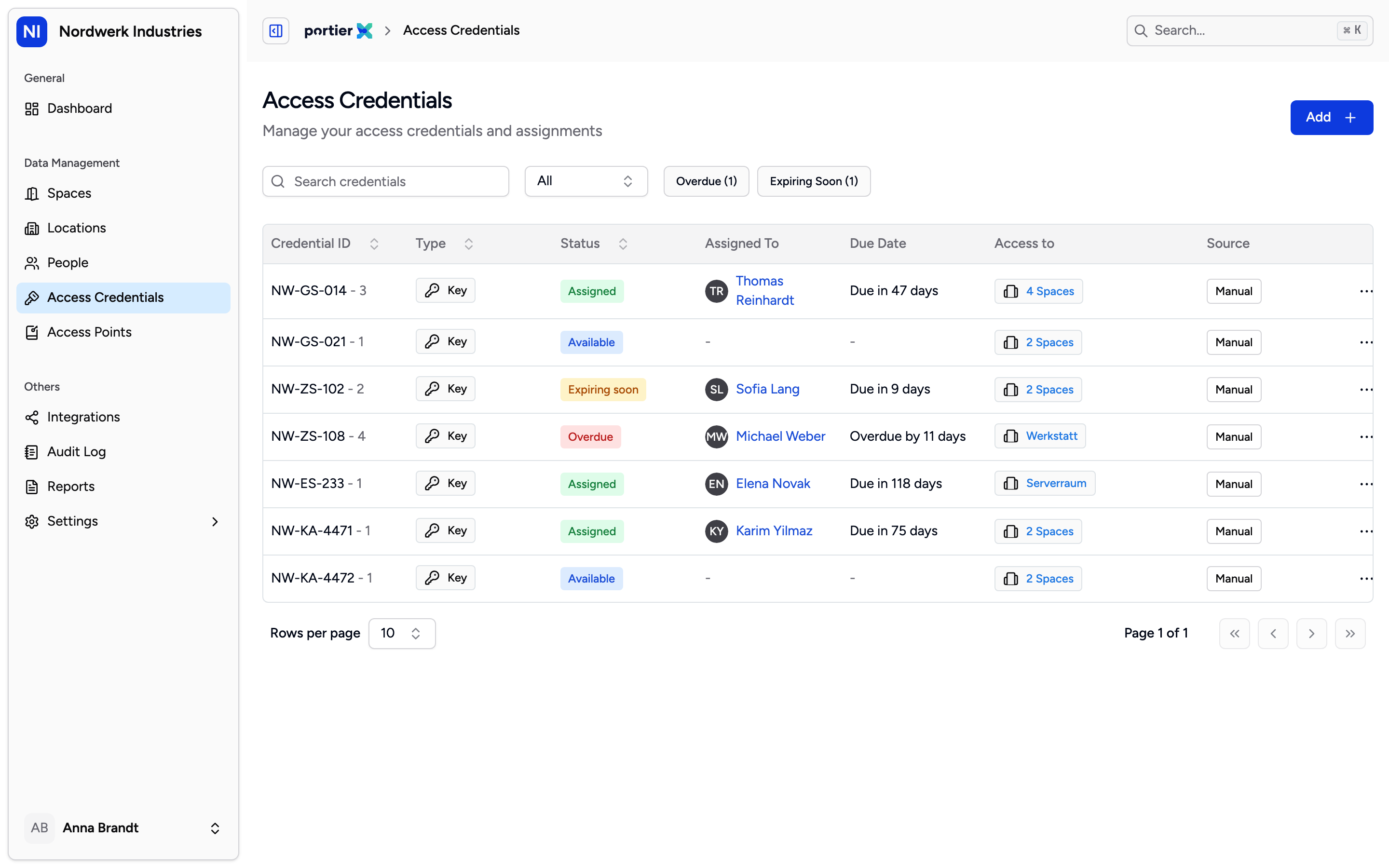
The manual list stays collapsed until you open it, so the recommendation gets first look on every assignment.
Search by credential ID or name, filter to a single space. The list splits into Available and Unavailable. Each card shows what it covers, what it leaves open, and how many extra spaces it carries. Anything under Available you can take. Anything under Unavailable carries the reason. Assigned means somebody holds it, and hovering shows who. Not Available, or a note such as Reported lost, means it is out of circulation.
Confirm Assignment. If a space is still open you get Some Spaces Are Not Covered first, with the list and two buttons, Go Back and Continue Anyway. Partial coverage is allowed. It just never happens quietly.
Then Confirm Credential Handover opens. Set a due date per credential if you want one, Apply for All copies it across the lot, and a comment is optional. Last, choose how the person confirms receipt. A 6-digit PIN goes to them by email, you ask for it and type it in. The SMS route sits beside it but is not switched on yet. Paper Confirmation produces a PDF handover form to print, sign and upload back, which is the route for anyone without an email address. Notify Only is there when everything you are issuing is digital. Send Confirmation closes the assignment.
Only an available credential can be assigned. If somebody else holds it, they return it first. There is no handing one straight from person to person.
A due date is recorded and shown, but nothing enforces it. The credential keeps working past the date.
You cannot schedule an assignment to start later. It applies from the moment you confirm.
There is no second-person approval. Whoever confirms, commits.
100 spaces is the ceiling per request. Above that the recommendation returns an error, so split a bigger job.
