portierX keeps one record per person who needs access. This article covers adding a single person by hand, and exactly what the fields will and will not accept.
People in the sidebar is the full list. Four columns: Name, Email, Mobile Number and Access Credentials.
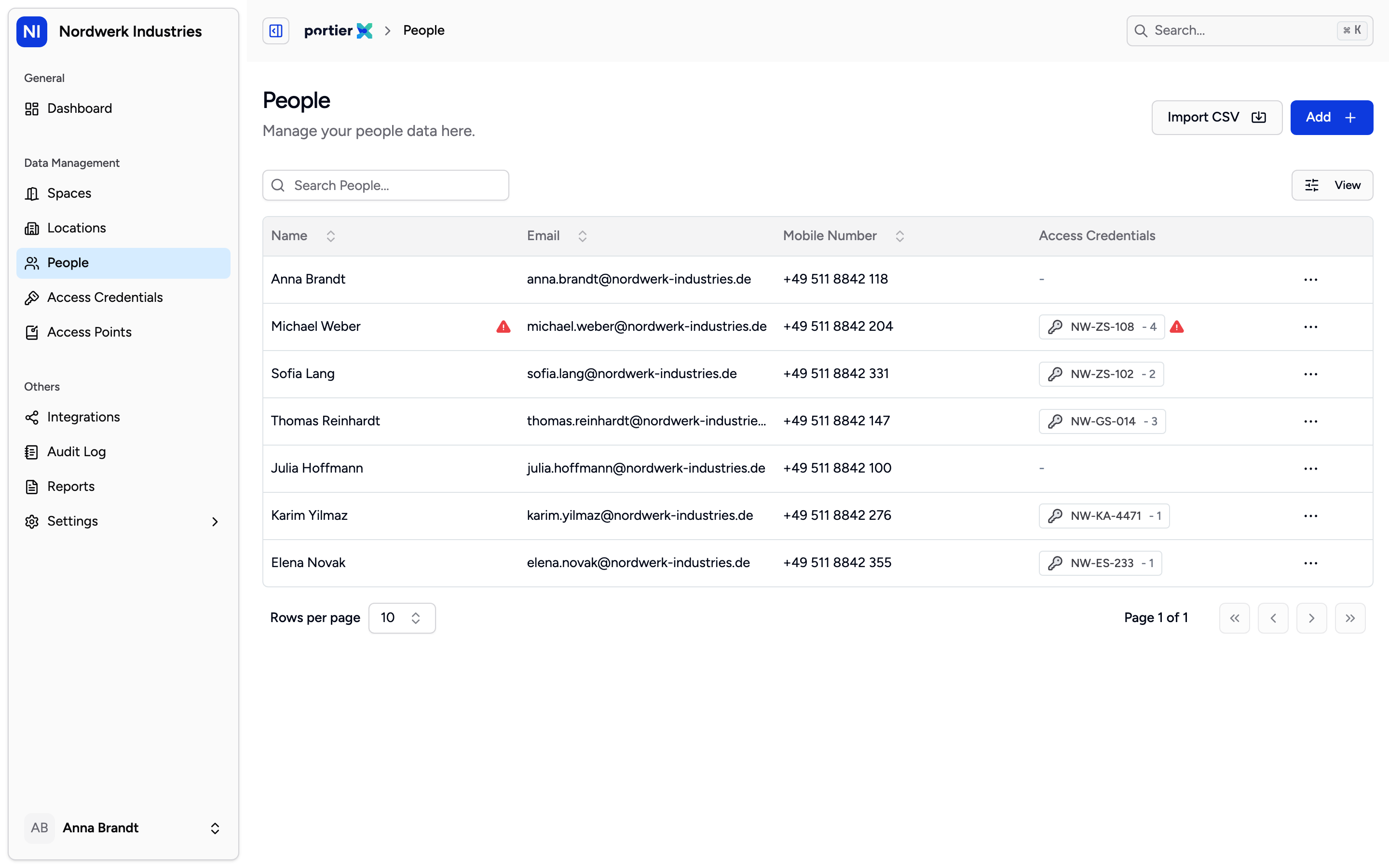
The Access Credentials column tells you who still holds a key before you open a single record. It also decides whether a person can be deleted.
Add above the list opens the form for one person. Import CSV is the route for volume and has its own article.
Add opens a panel titled Add People with five fields and nothing else. No employee ID, no job title, no department.
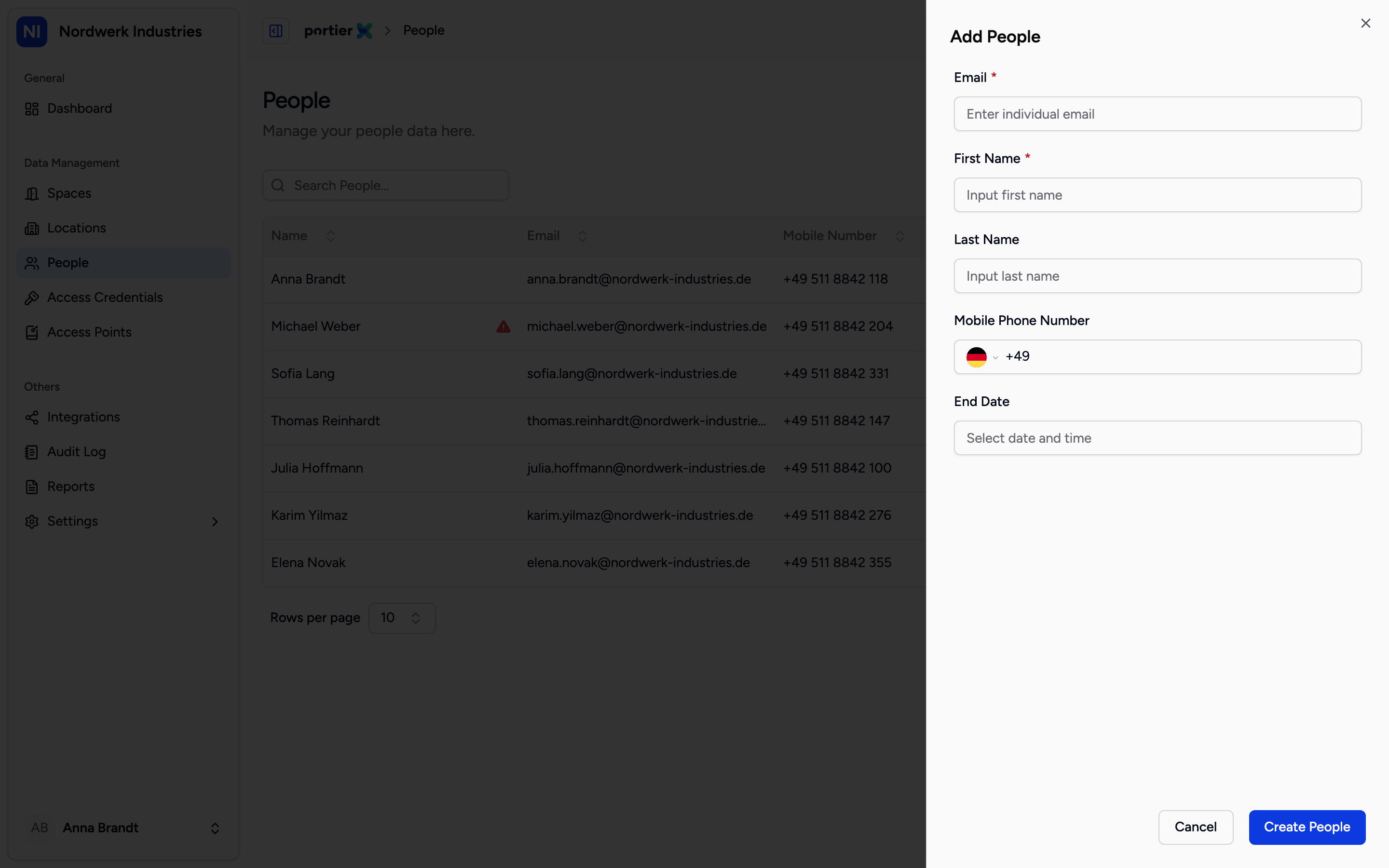
Only Email and First Name carry the red asterisk. Everything below them can be filled in later.
Field | What portierX enforces |
|---|---|
Required. Valid address format, 255 characters at most, and not already used by another person in your organisation. | |
First Name | Required. 100 characters at most. |
Last Name | Optional. 100 characters at most. |
Mobile Phone Number | Optional. Country selector, set to Germany by default. Stored in international form with no spaces, a plus, the country code, then the number. For example +495111234567. |
End Date | Optional. |
Create People saves the record.
Duplicate email address. The address is unique per organisation and capitals do not count, so Anna.Schmidt@ and anna.schmidt@ are the same person. It is not unique across portierX as a whole. Delete a person and their address is free again.
Too long. The form will not stop you typing a 200 character name. The rejection comes back from the server after you press Create People. Stay at 100 characters for the names and 255 for the address and you will never see it.
It does not switch access off. Nobody is locked out at midnight on that date.
What it does is pull the return date forward. portierX takes the earlier of the two dates, the credential's own return date or the person's end date, and flags the key as due or overdue from there. An end date is what makes a contractor's keys surface in the final week rather than a year later.
It does block two things. Once the end date has passed, portierX will not assign that person another credential. And a return date that falls after the end date is refused when you assign.
Pick a date and leave the time alone and portierX stores 23:59, so the last day counts in full.
Everything else runs through the person's own page. Assign sits there, and each credential they hold carries a Remove Access action on its row. Neither appears on the People list, deliberately. Handing a key out and taking it back are the two actions you least want to trigger by clicking the wrong row.
To change a detail, open the person and click the field. It becomes editable in place. Type, then save. There is no separate edit form.
The row menu offers View and, if your role carries the right, Delete. While a credential is still linked to the person, portierX refuses the delete. Return their credentials first, then delete.
The delete itself is soft. The person leaves the list, their address is freed, and the record is kept for the audit trail. Both the add and the delete appear in the Audit Log.
There is no undo and no restore. A deleted person cannot be brought back from the interface.
The mobile field defaults to Germany. If your people are somewhere else, change the country on the selector before you type, or the number lands under the wrong dialling code.
The number is checked for shape, not for existence. A well formed number with no line behind it will be accepted.
If the delete is still refused after everything has been handed back, that is one for support rather than a hunt. The check counts credential records linked to the person, and that link can outlive the hand-in.
