
The dashboard is the first page after signing in. It answers one question: who is holding what right now, and what needs your attention.
The four tiles
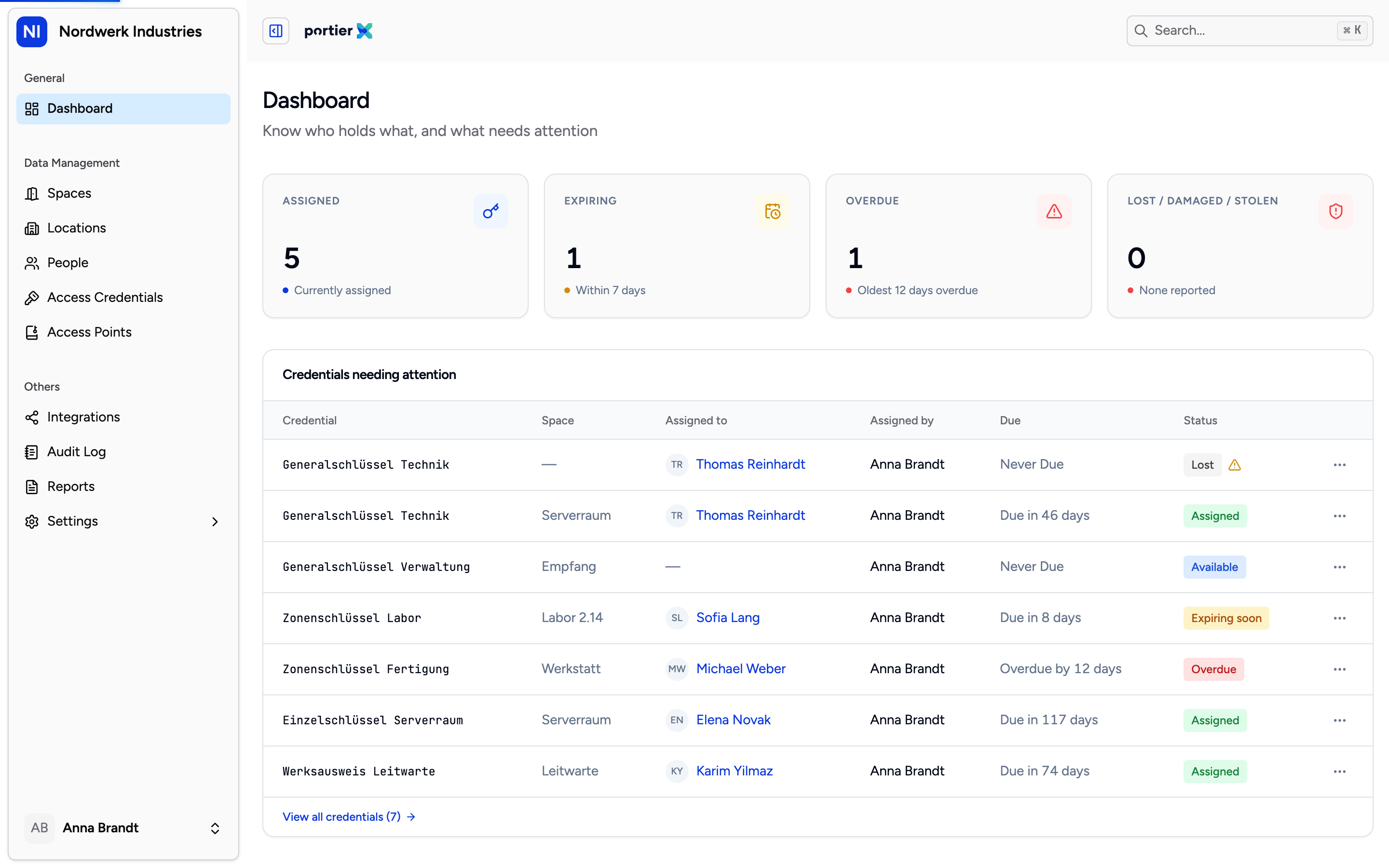
Four figures, each one clickable. A click takes you to the filtered list behind it.
Assigned is how many credentials somebody is currently holding. Currently assigned sits underneath.
Expiring are the credentials falling due within the next seven days.
Overdue are the ones past it. With none, the line underneath reads All on time; otherwise it names the age of the oldest case in days.
Lost / damaged / stolen is the number of open incidents. With none, it reads None reported.
Every tile is clickable and takes you to the matching filtered list. The first three go to the access credentials list. The fourth goes to the reports area, because an incident is not an assignment state but a matter of its own.
When something counts as overdue
The Overdue tile carries a hint that gives the definition, and it is not the obvious one: a credential is overdue once its due date passes or the holder's access ends, whichever comes first.
The second condition catches people out. A key with no return date can go overdue because the person themselves is expiring.
Expiring uses the same double condition, just with seven days' notice.
The table below
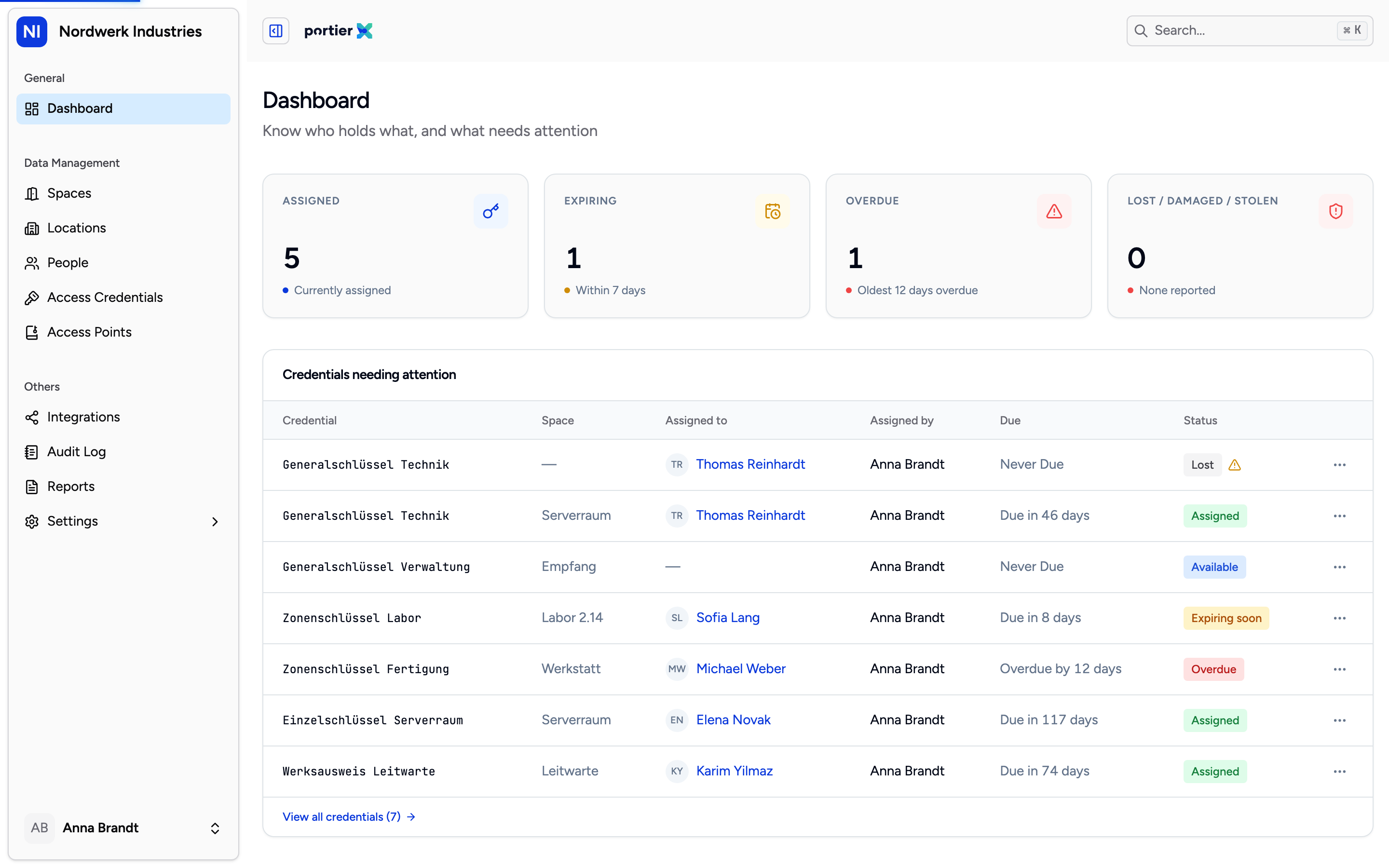
Credentials needing attention. Six columns, and Status is the one you would sort by if you could.
Under the tiles sits Credentials needing attention. The columns are Credential, Space, Assigned to, Assigned by, Due and Status.
Status carries Assigned, Available, Overdue, Lost, Damaged, Stolen and Archived. It is the same set of states you meet in the credentials list and in the incident report.
View all credentials takes you to the full list.
With nothing overdue, a line says so. If the table cannot load, an error appears. Both apply to the table only, not to the tiles above it.
The reports block that does nothing yet
At the bottom sits a block headed Reports with three entries: Weekly returns, Monthly overdues and Audit export. Beside each sits whether it would be scheduled or on demand.
None of the three can be downloaded. All three buttons are disabled and carry the note Reports coming soon.
Do not confuse this block with the Reports workspace in the sidebar. That one is real and one report in it works. This block is an announcement.
When the page is empty
With nothing created and nothing issued, it reads Nothing to show yet, with a line saying statuses appear once credentials are assigned. That is the normal first-day state, not a fault.
Limits
The dashboard is credential-shaped. It counts keys and their states. There is no activity feed, no view of connected systems and no door events.
You cannot change it. There is no choice of which tiles appear and no reordering. Every user sees the same four.
It shows one organisation. Anyone working in several sees the figures for the one they are currently in.
The reports block is not in service.