
You look after several sites for several clients, and each of them is a separate organisation in portierX. The question is whether your staff need several logins for that.
They do not. One login is enough.
What it looks like
After signing in, portierX checks how many organisations this account belongs to.
With exactly one, you go straight through. A button reading "Continue to" and the organisation's name appears briefly, and then you are in.
With several, the picker appears.
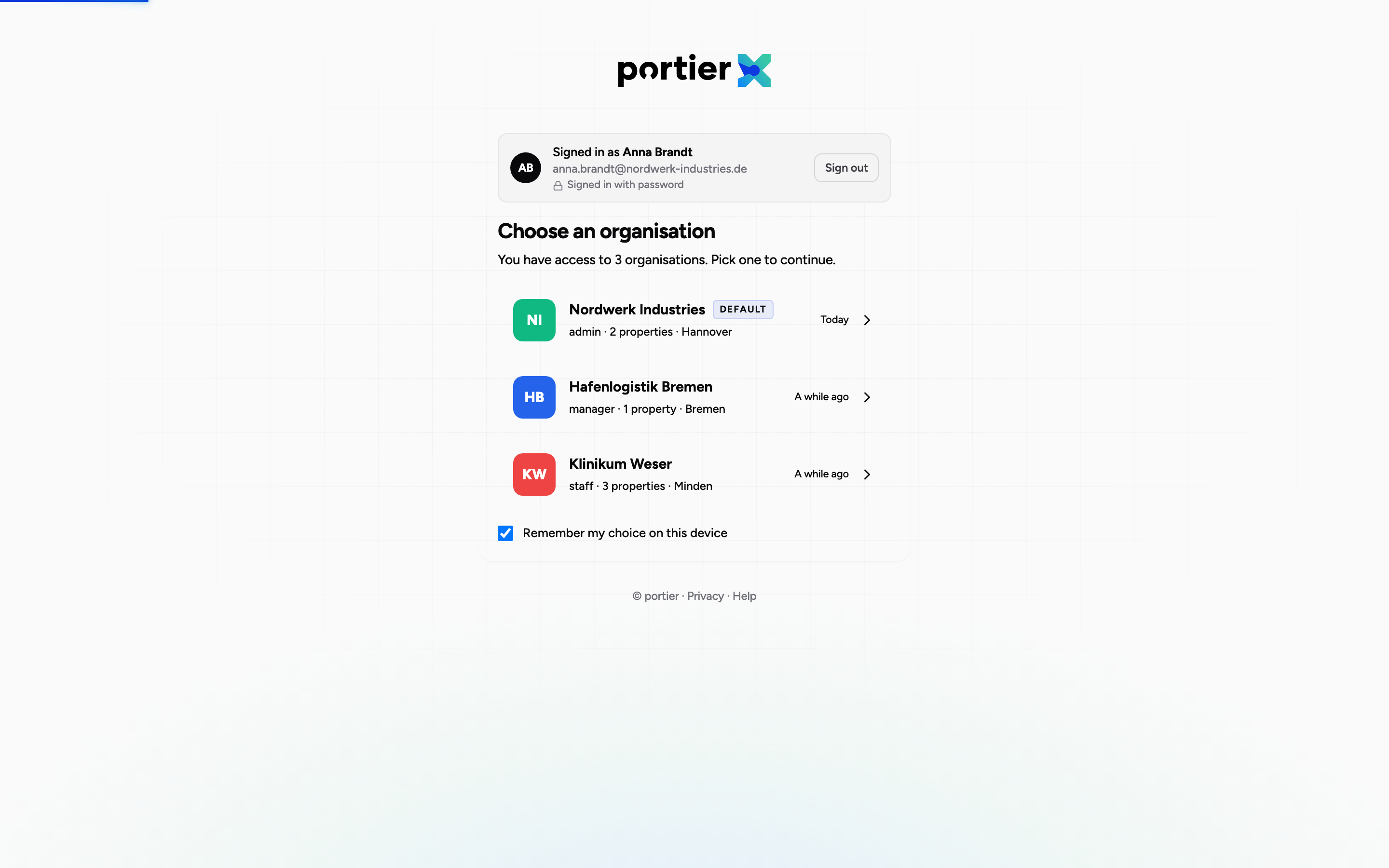
The picker after signing in. The last used and the default organisation are marked.
The page is headed Choose an organisation and says underneath how many you have access to. A search box helps when there are many. Two markers make the choice easier: Default on the default organisation and Last used on the one you were in most recently. Beside it sits when that was, as "a few minutes ago", "Yesterday" or "a few days ago".
After you choose, a loading card briefly shows the organisation's name, and then you are on the dashboard.
Switching without signing out
You do not have to sign out to move to another organisation. Your user account menu carries Switch organisation, alongside an entry listing all your organisations with their count.
What that means, and what it does not
This is the part that gets misunderstood in sales conversations, so it is stated plainly here.
What portierX does. One person can be a member of several organisations and switch between them on a single login. They hold a separate role in each. Somebody who is Organization Admin in one can be Security Monitor in another.
What portierX does not do. One organisation cannot grant another organisation access to its data. There is no relationship between two organisations, no parent account and no view across them. A login sees exactly one organisation at a time, and a request for another organisation's data is refused.
For a service provider that means: your staff become members of the customer's organisation, with whatever role is appropriate there. The customer keeps control of it, because they grant and remove that membership. There is no arrangement in which your organisation looks into the customer's from outside.
That is a property rather than a gap. The customer knows who from your firm has access, and can end it at any time.
When no organisation appears
If it reads No organisations available, the sign-in worked and the account does not belong to any organisation yet. The text names the two routes: either an organisation admin adds you, or you check your inbox for a pending invitation.
Limits
No reporting across organisations. No report, no audit log and no list crosses an organisation boundary. Anyone needing the same report for three sites fetches it three times.
A role applies per organisation. It is granted where it applies and does not travel.
The sign-in pages are not in German. They read in English even when the rest of the product is set to German.