
A role says what somebody may do. It does not say where. An Access Manager with that role can exercise it anywhere in your organisation, in Hanover just as much as in Stuttgart.
Area managers are the answer to that. They narrow a user's responsibility to part of the estate.
An area is not a space
This is the one confusion worth avoiding.
A space is a place. It has doors, and people walk into it.
An access area is a responsibility. It says what a particular user may decide about. It does not describe a place, it describes an accountability, and it can span many places.
The same space can sit in several users' areas.
Setting it up
Open Settings, then Area Managers.
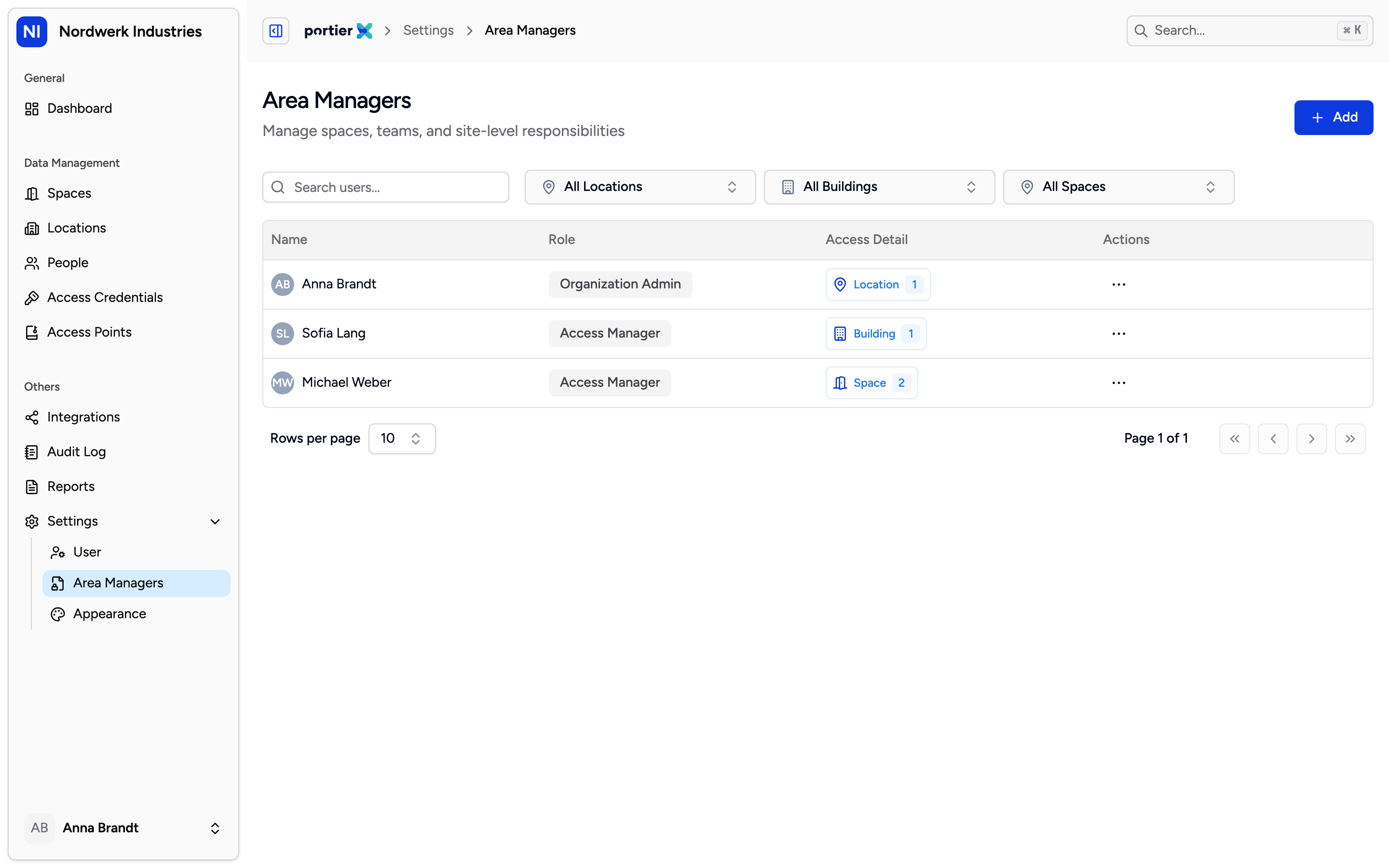
One user per row, with role and responsibility. The list shows who is responsible for what, not who has which role.
The list carries Name, Role, Access Detail and Actions. With nobody set up yet, it reads No area managers found.
Add Access Area opens the form.
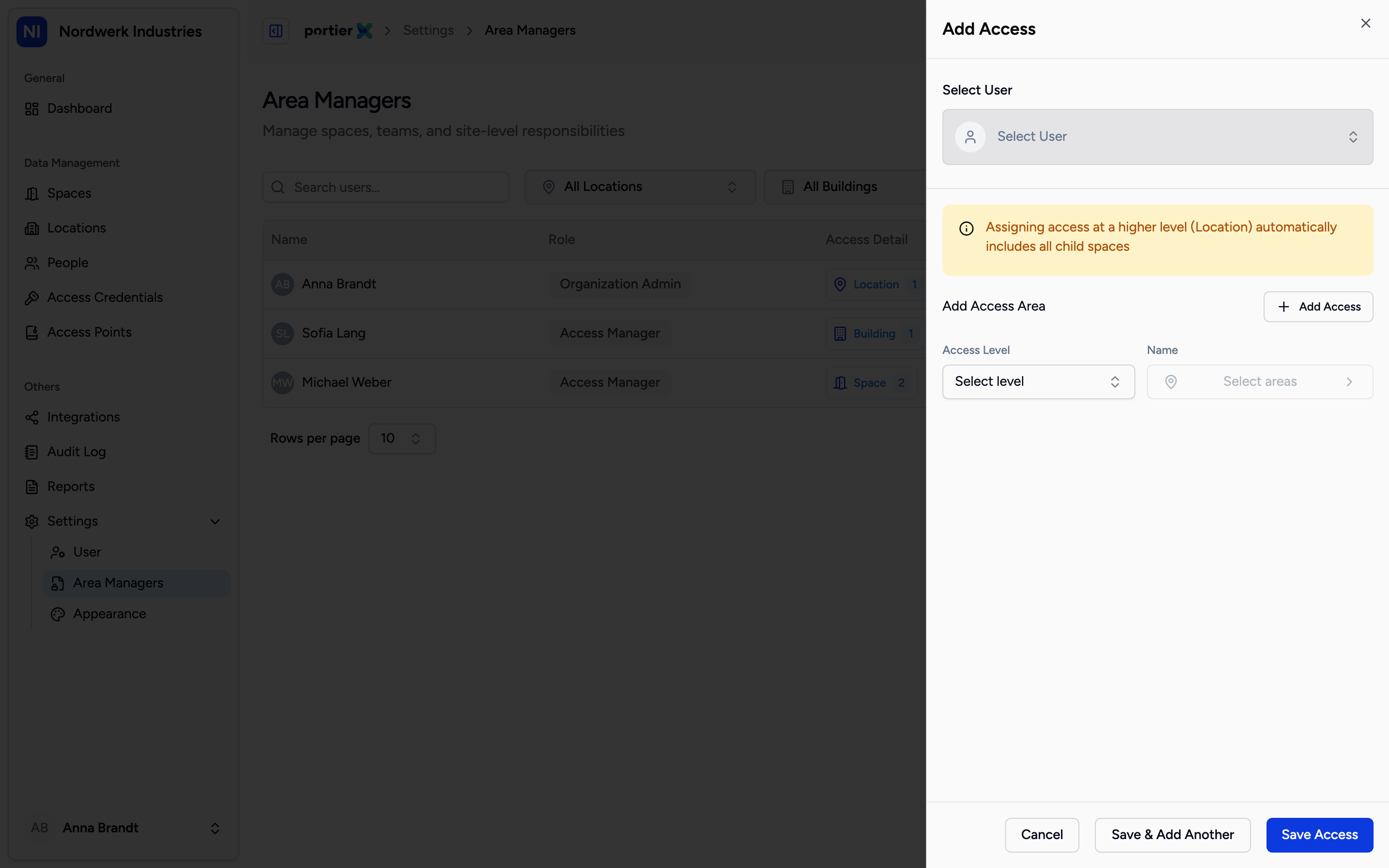
Pick the user, pick the level, then the actual places. Several areas can be added in one sitting.
Under Select User, choose the person. This is a user account, not a person from the people directory.
Under Access Level, choose how far the responsibility reaches. There are three levels, and the choices read in English: Location, Building and Space. They are the same three levels that structure your estate everywhere else.
Below that you pick the actual places, using Select locations, Select buildings or Select spaces according to the level. A search box helps when the list is long.
Save Access finishes. Save & Add Another starts the next area straight away, which is worth using when somebody is responsible for several unconnected parts.
The inheritance, and why it is the line that matters
Above the form sits the sentence that counts: "Assigning access at a higher level (Location) automatically includes all child spaces".
Assign a location and you have assigned everything under it. Every building, every space, including the ones that do not exist at that location yet. A space created tomorrow falls into that area automatically.
That is usually what you want and occasionally not. If somebody should be responsible for a site apart from the server room, the location level will not do it. You pick the buildings or spaces individually instead.
What the overview shows
Manager Details shows, for one person, what has been assigned to them, grouped into Locations, Buildings, Spaces and Access Areas. That is the view for the question of what somebody is actually responsible for.
Edit changes an existing area and Delete takes it back. The delete dialog names the person and their email address and says the action cannot be undone.
Limits
An area manager needs a user account. Somebody who does not sign in cannot have a narrowed responsibility either.
Narrowing does not replace the role. The two work together: the role says what, the area says where. Somebody without a suitable role does not gain one through an area.
The level choices read in English while the rest of the page is translated.
The German interface calls spaces "Räume" here where the rest of the product calls them "Flächen". The same thing is meant.