When somebody asks at quarter end which keys were reported lost or stolen in the period, this is the report for it.
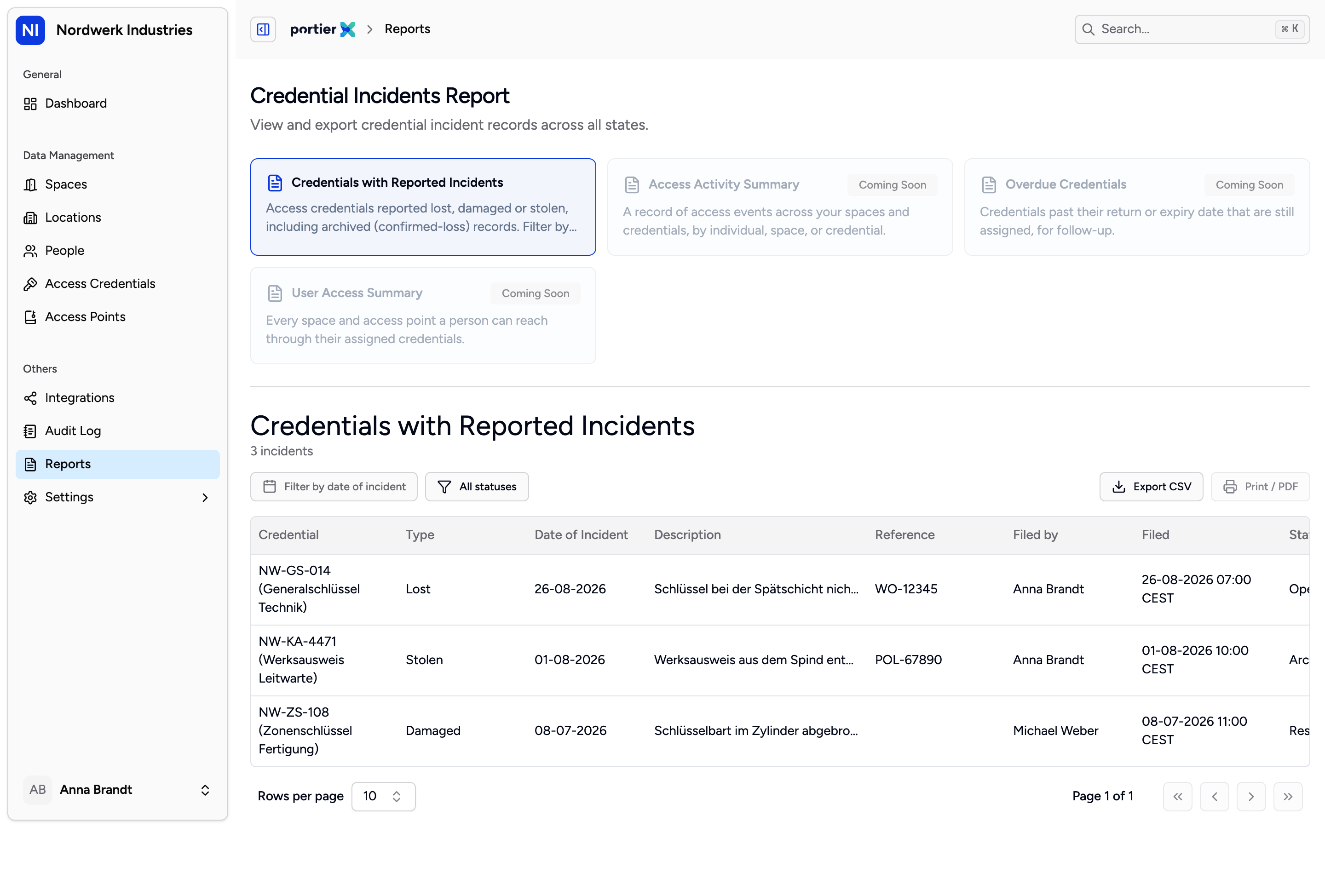
Four tiles, one of them usable. The other three carry a note that they are still to come.
Reports lists four reports, and exactly one of them works.
Credentials with Reported Incidents is the one this article is about.
Access Activity Summary, Overdue Credentials and User Access Summary are announced and not yet available. Each carries the corresponding note on its tile.
That is why this article does not describe the area as a reporting suite. There is one report, and it is a good one.
If you cannot see the Reports entry at all, your role lacks the right to view incidents. The entry hangs on exactly that permission.
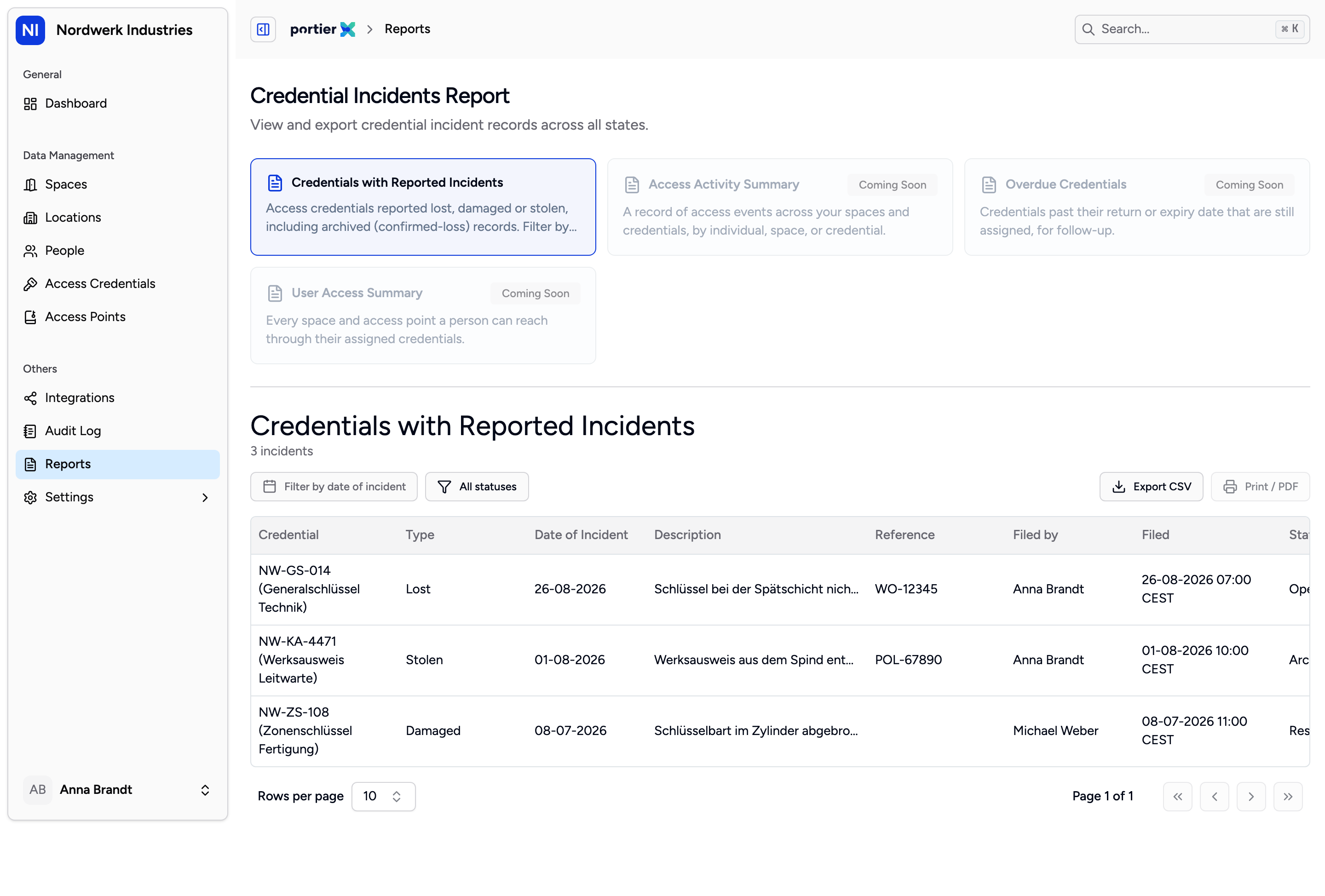
One row per incident, open and closed together. The status filter is the first thing you will reach for.
The report is headed Credential Incidents Report and lists every incident as a row, across all states. The columns are Credential, Type, Status, Date of Incident, Filed, Filed by, Previous assignee, Space, Reference, Description, Document, Resolution Reason, Resolved and Resolved By.
The last three are empty on an open incident. They fill in on resolution, which is what also makes this report the answer to how a particular incident ended.
Filter narrows in three ways.
Status offers Open, Resolved and Archived. It starts on All statuses.
Incident type offers Lost, Damaged and Stolen, starting on All types.
The date range runs on Filed from and Filed to.
Watch the date range. It filters on the day the incident was reported, not the day it happened. A key lost in January and reported in March lands in March. For a quarterly report that is usually right. For an investigation it rarely is.
When nothing matches, it reads No incidents found, with a line saying no credential incidents match the current filters. That points at the filters, not at the records.
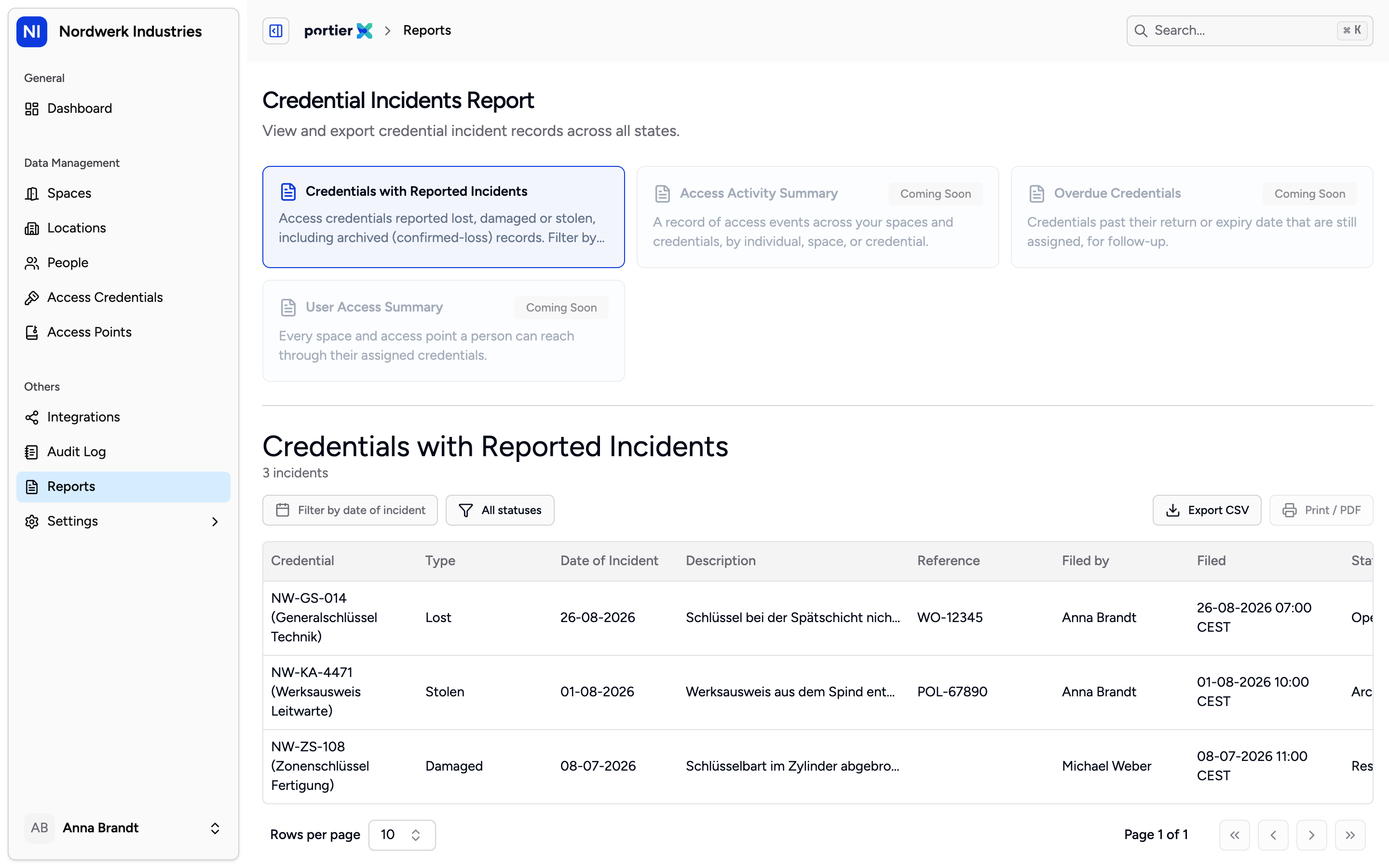
File type and the current filters. What it lists is what goes into the file.
Export opens Export incident report. File type offers CSV (comma separated), CSV (semicolon separated) and PDF (print). Use the semicolon variant for a German Excel. PDF (print) is not a download; it opens your browser's print dialog, and you save as PDF from there.
Current filters states what is going into the file. The export inherits the filters you set, not the page on screen.
The file carries fifteen columns, one more than the table. It adds Incident ID and splits the credential into Credential ID and Credential Name. Incident ID is the column that lets you name a single row unambiguously later, and for evidence that is exactly the difference between a list and a record.
On a large export, a message names the number of entries.
One report, not four. The other three tiles are announcements.
This is not an access report. It shows reported incidents against credentials. Who went through a door and when is not in it, and not in portierX at all.
The Document column stays empty. No document can currently be attached to an incident, so neither the list nor the file has anything to put there.
No schedule, no delivery. The report is produced when you produce it. It does not arrive monthly by email.
