
Every other screen in portierX shows you what portierX recorded. This one asks your SALTO system how the doors are right now.
You find it on the SALTO connection under Integrations, on the Door status tab.
What the table shows
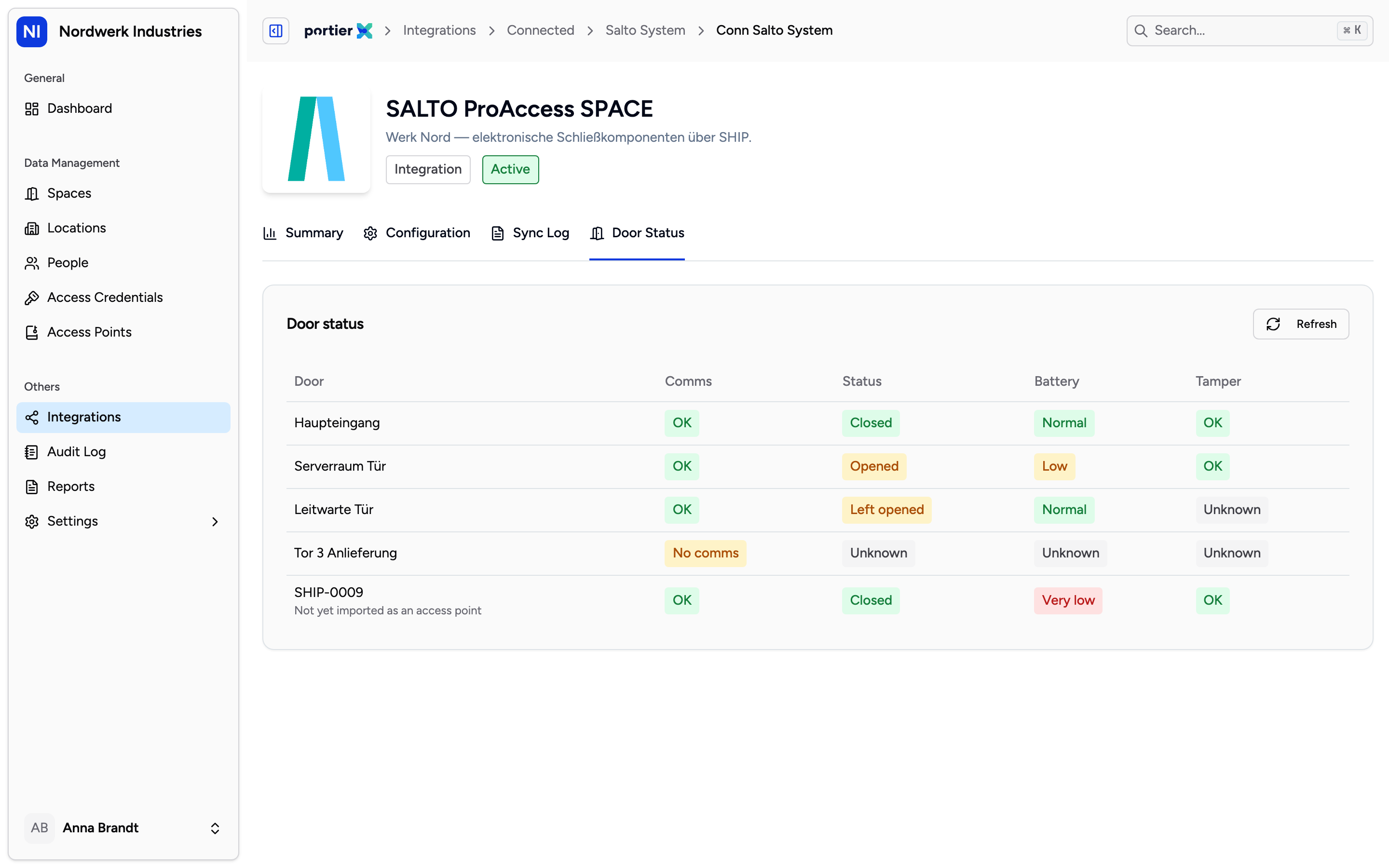
Five columns per door. Refreshing happens on the button, not on its own.
The table is headed Door status and has five columns: Door, Comms, Status, Battery and Tamper.
Status is the state of the door itself. It carries more values than you would expect, and the interesting ones are further down the list.
Opened and Closed are the ordinary cases.
Left opened is the door standing open that should not be.
Alarmed and Intrusion are the readings this screen is worth having for.
Emergency open and Emergency close come from an emergency condition in the system.
Initialising and Unknown mean the system has nothing dependable to report just now.
Battery reads Normal, Low or Very low. That is the column that saves you work if you look at it regularly, because a door with a flat battery otherwise announces itself when somebody is standing in front of it.
Comms and Tamper say whether the door is reachable and whether it has been interfered with.
Which doors are not here
Two cases, and neither is a fault.
Offline doors are absent entirely. The screen says so itself when there is nothing to show: "Only doors that are currently online report live status here. Offline doors won't appear until they reconnect." A missing door does not mean all is well. It means the system is currently hearing nothing from it.
Doors that do not exist in portierX yet. If SALTO reports a door that has not been imported as an access point, it still appears in the list, with Not yet imported as an access point underneath it. That is useful: it is the quickest way to see that your import is incomplete.
Why nothing moves
This view does not update by itself. It fetches the state when you open the tab, and after that only when you press Refresh.
That is the most important line in this article. A screen showing live state looks like monitoring, and it is not monitoring. Anyone who leaves it open waiting for something to appear will wait for nothing. What you see is the state as of the last fetch.
If portierX cannot reach the system, it reads "SALTO could not be reached. Check the connection and try again."
Limits
It is not an alarm system. No notification, no email, no audit log entry. The screen shows when you look.
It is not a history. The state is not recorded. What it was an hour ago is nowhere.
SALTO only. The other connections do not have this tab.
These are door states, not entries. Who walked through is not here, and not in the audit log either.