
If your installation runs on dormakaba MATRIX, portierX can connect to it. The connection runs over the MATRIX REST interface.
Two things up front, so nothing surprises you.
This connection is not on production yet. It is available on the test environment. Ask portier if you cannot find it in your own access.
The contents of this connection read in English, on a German or French access as well. Only the tab names and the frame around them are translated. Everything inside the tabs, from field labels to messages, is English, and the labels below are given as they appear on your screen.
What you need
Four values from your MATRIX installation, and an optional fifth.
Locking System Name, yours to choose. It is what the connection is called in portierX afterwards.
URL, the address of your MATRIX server.
REST Interface Number, the interface number. The field suggests 3.
Secret Token, the access secret from MATRIX.
Mandator is optional. Leave it empty and portierX uses 1, which is also what the field suggests. Anyone running several mandators in MATRIX puts the right one here.
Gathering those values is work for IT or for your dormakaba partner, not for facilities.
Creating the connection
Open Integrations and the dormakaba MATRIX tile.
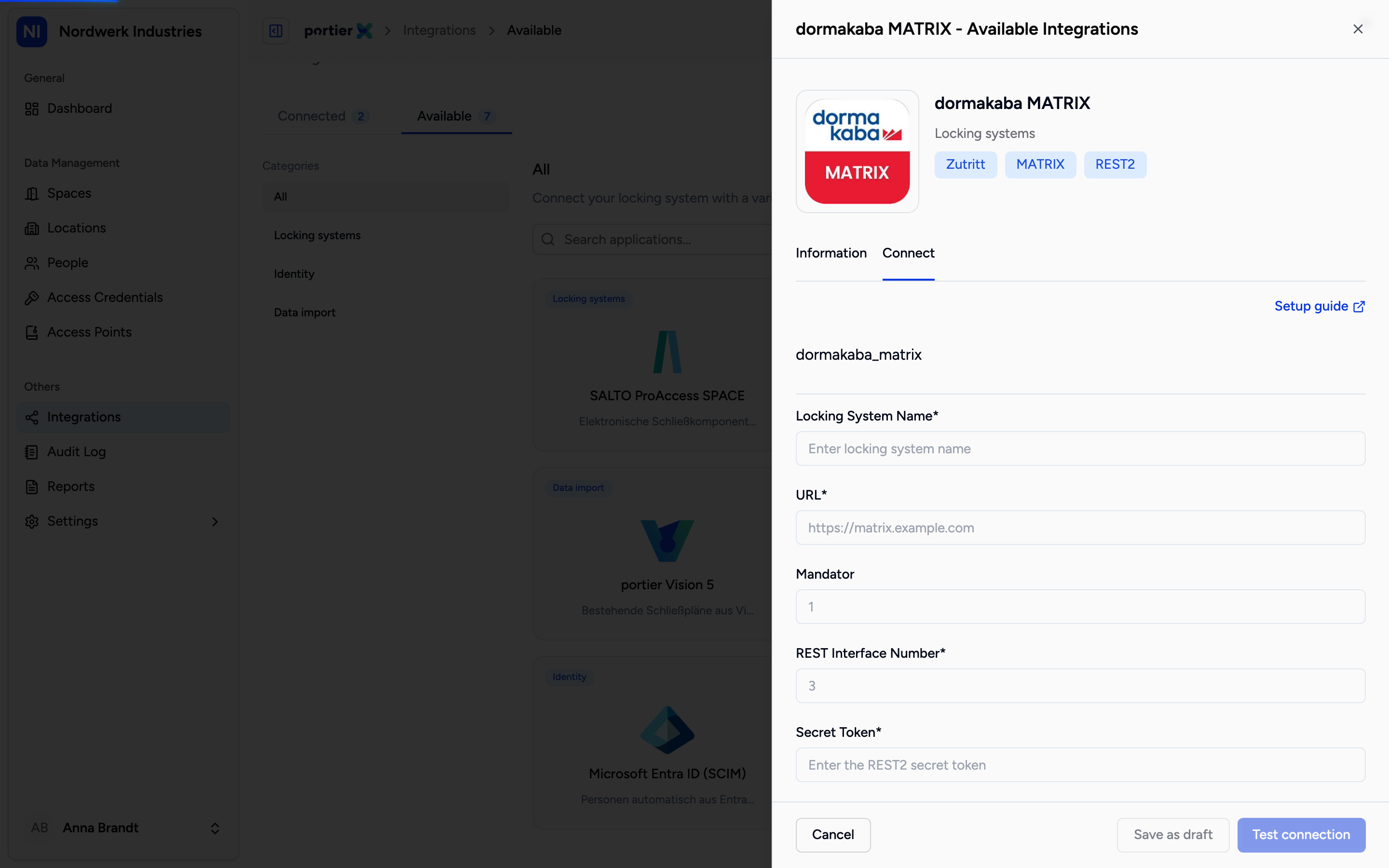
Four required fields and the optional Mandator. The field labels come from the connection schema and read in English in every language.
Below the form sits the same network protection section as the other connections, offering Public, Cloudflare Access, VPN and custom headers. The SALTO article covers that section in detail, and it applies to MATRIX unchanged.
What you see afterwards
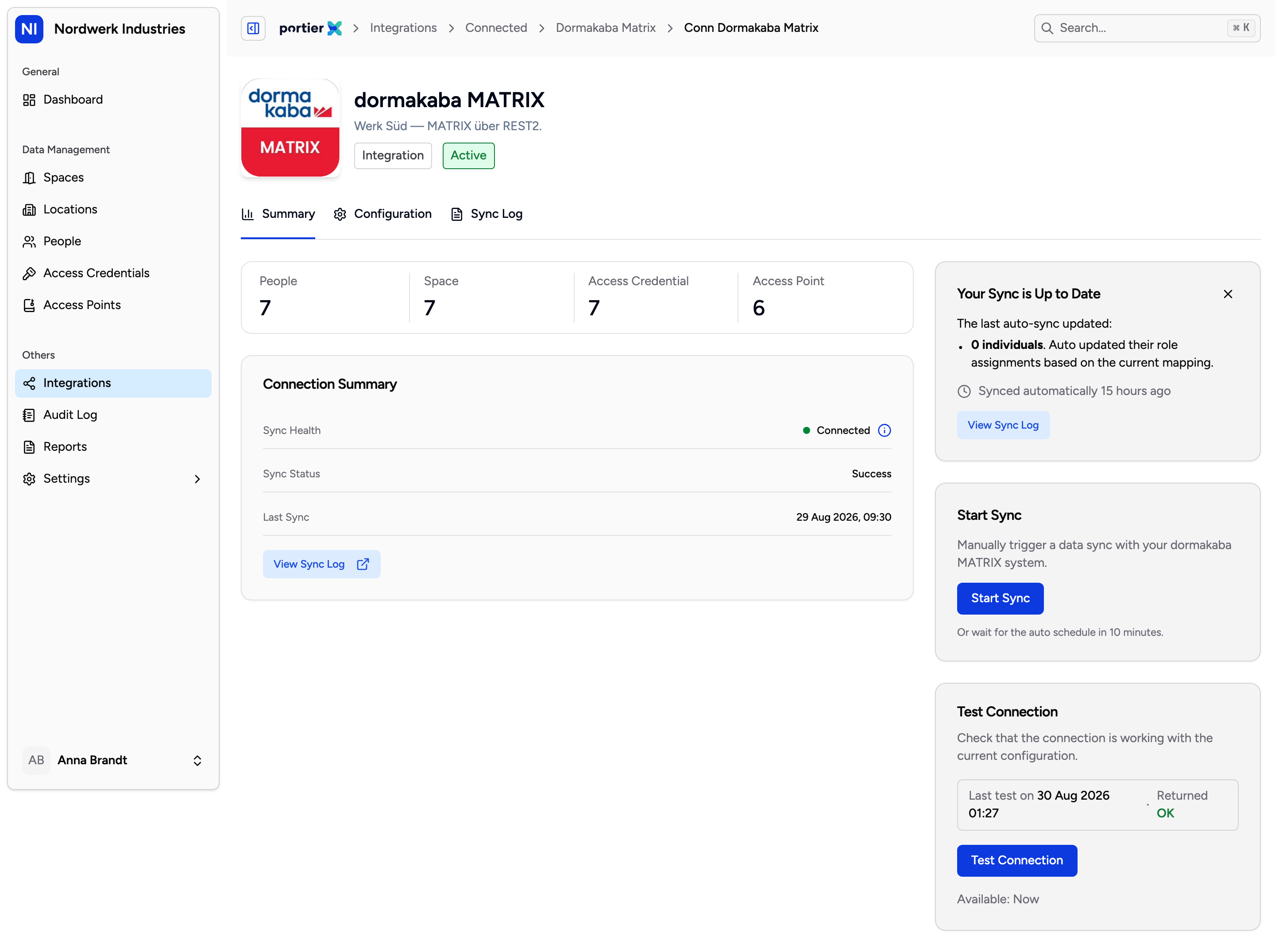
The connection summary. Its shape and meaning match the other connections; the labels are English.
The connection has three tabs.
Summary shows the state of the connection, when it last synced, and carries the buttons to test it and to start a sync.
Configuration holds the protection layer and the security details, meaning the address and the secret, editable after the fact.
Sync Log lists each run as a row. The status inside is English again, reading Success, Partial Success or Failed.
What those three tabs mean in detail, when a sync is blocked and why a cooldown is running, is in the article on the connection screen. The shape is the same for every connection.
Limits
Test environment, not production. The connection is built and works, but it is not in a production release yet.
No door status. Unlike SALTO, MATRIX has no tab showing the live state of doors. The three above are all of them.
No import log. MATRIX is connected with credentials rather than a file, so there is nothing to import.
English throughout. Not only the field labels, the entire interface for this connection. That affects what you read, not what it does.