
You imported a locking plan and now you are looking for it. It is not with the access credentials. It sits under the location.
Where it sits
Open Locations, then the location in question. The locking systems for that location are listed there as cards.
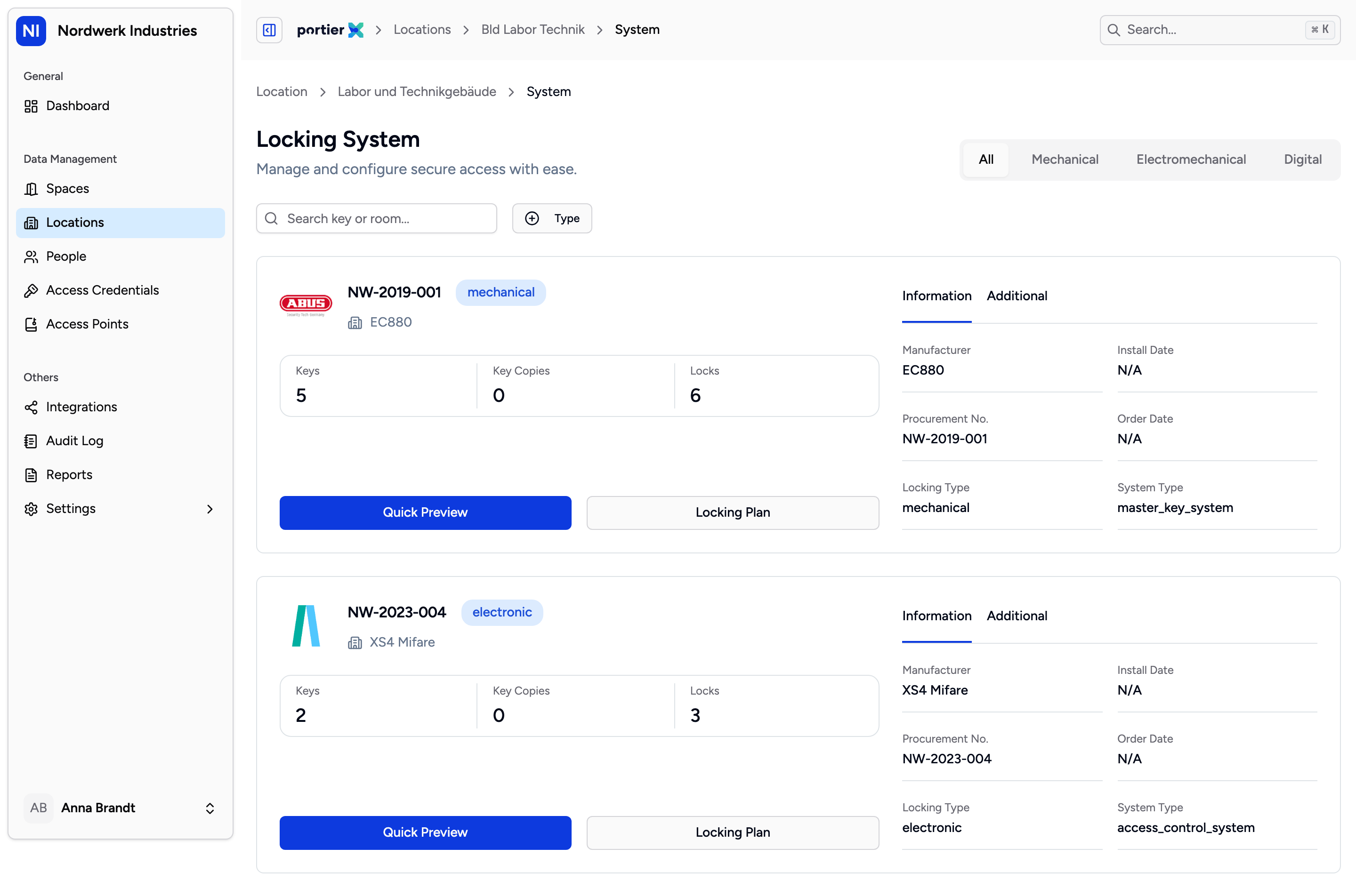
One card per locking system. The figures on it are the size of the system, and the button on the right opens the matrix.
Each card names Keys, Key Copies and Locks. If the location has none, it reads No locking systems found.
Two buttons sit at the bottom of the card. Locking Plan opens the matrix. Quick Preview does nothing; it only raises the message Feature not available yet.
Reading the matrix
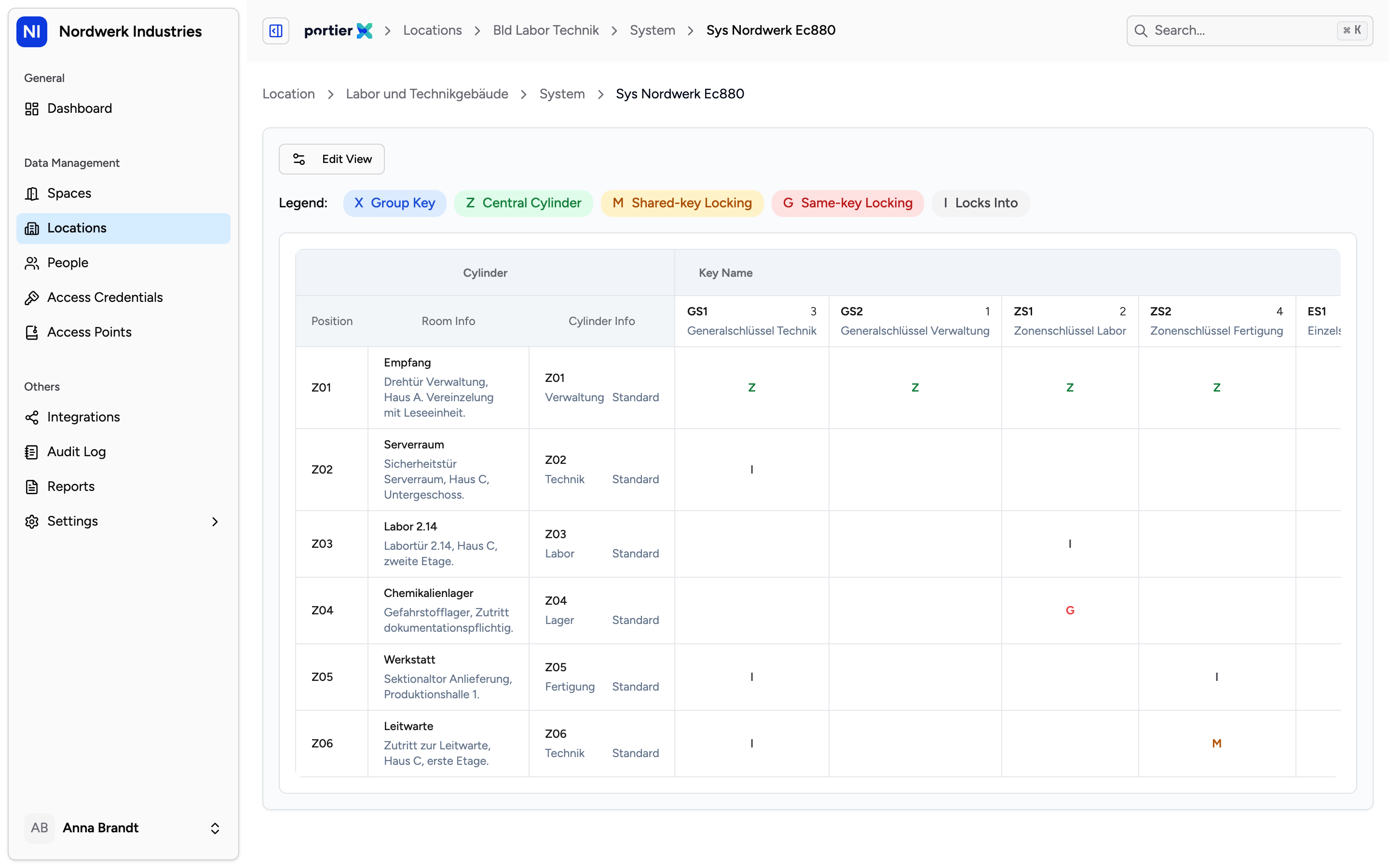
Cylinders down the rows, keys across the columns. A mark where they cross means that key turns in that cylinder.
The matrix is the locking plan as your locksmith drew it. Cylinders run down the rows, keys across the columns. A mark where they cross means that key turns in that cylinder.
The three left-hand columns are headed "Position", "Room Info" and "Cylinder Info". Those three headings are fixed strings in the product rather than translatable labels, so they read in English in every language.
Above the table sit the search, which finds a key or a room, and three filters headed "Locks", "Keys" and "Status". Those are fixed strings as well, options included, and read in English everywhere, even though the product carries German and French words for the same terms elsewhere.
The legend, and why you need it
Edit View, then Show Legend, turns the legend on and off. It is on by default, and it is the part without which the matrix is only a grid with crosses in it.
Group Key, one key that turns in several cylinders.
Central Cylinder, one cylinder that several keys fit.
Shared-key Locking, several keys turning the same cylinder.
Same-key Locking, several cylinders turned by the same key.
Locks Into, the plain relationship between one key and one cylinder.
Those five are the vocabulary of your locking plan. Anyone who knows them reads the matrix without further help.
The system details
Beside the matrix sit the details of the locking system, on two tabs.
Information carries real values from the imported plan: Manufacturer, Install Date, Procurement No., Order Date and System Type. Where one of those is missing from the file, a placeholder appears instead of a value.
Additional is a different matter, and worth knowing before you pass anything from it on. Maintenance Status, Security Level and Service Cycle carry fixed values that do not come from your system. They read the same on every locking system, whatever is actually the case. Do not take those three lines as information about your installation.
What this screen is not
It is a view, not a tool. portierX does not create locking plans, cylinder topology or keying. That stays in portier Vision 5 and with your locksmith.
What you see here is not edited here. If the plan needs to change, that goes through a new import, not through this table.
The matrix says nothing about who holds the key. It says which key turns where. Who carries it is under access credentials and on the person.