Somebody moves department. The lab should go, the office building stays. You do not want to unwind the whole assignment, only part of it.
portierX can do that. What actually happens, though, depends on whether the key is mechanical or digital, and that distinction is this article's real answer.
The action is called Remove Access, and what it applies to is decided by where you start it.
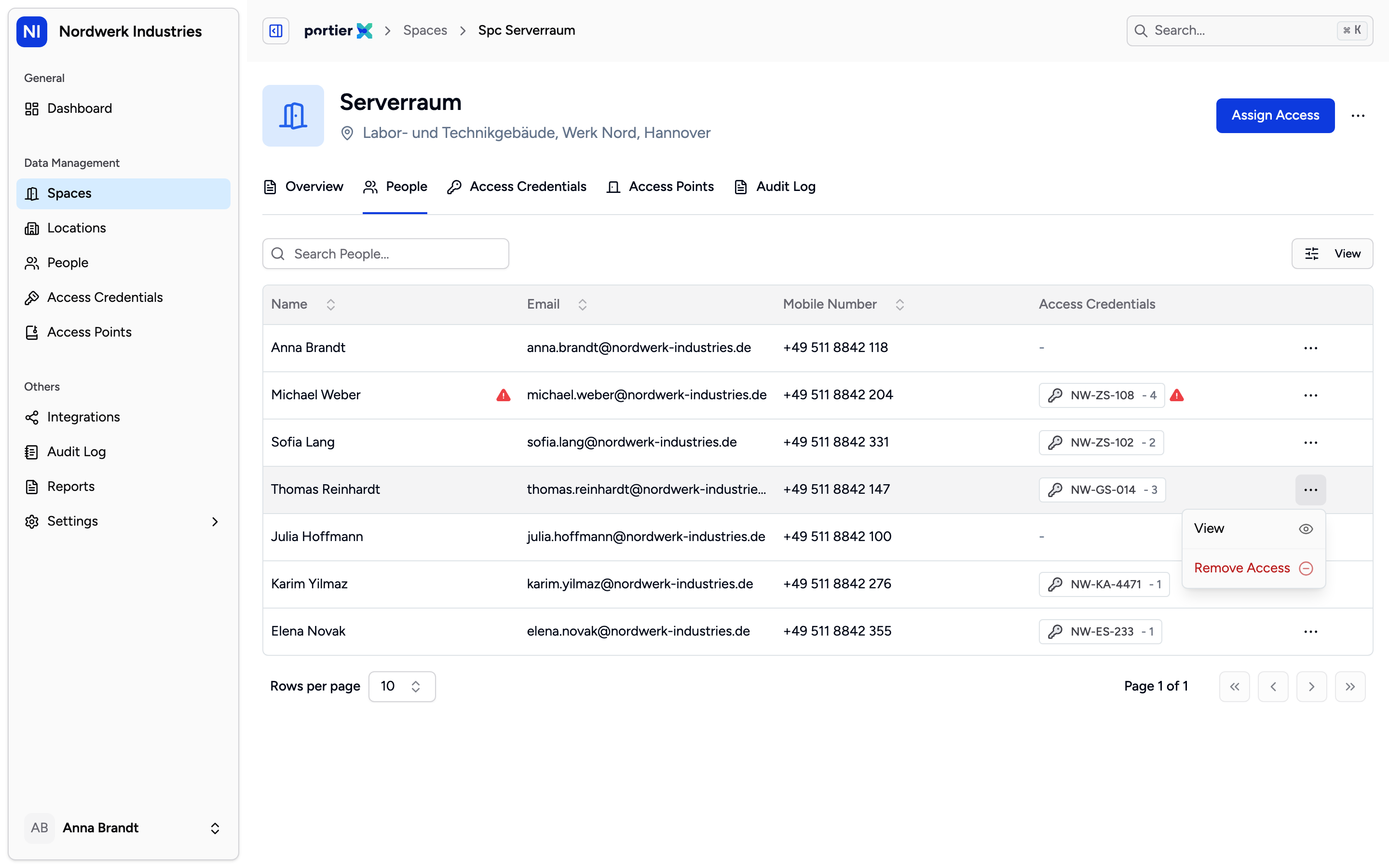
The same action, three starting points. Where you invoke it decides what it applies to.
From a space's people list, you remove access to that space, meaning everything this person held through it.
From an access point's people list, you remove access to that one door.
From a credential on the person, you remove that one credential.
The first is the usual case. The second is the finest. The third is the one you take when you mean the key itself rather than the place.
This is where the paths part, and portierX does not say so anywhere on screen.
For a mechanical key, the key is taken back. Not just the access to the space, the key itself. The person no longer holds it, and in portierX it goes back into stock. That is also the correct behaviour, because a mechanical key cannot be partly devalued. Somebody who should no longer enter the lab hands back the key that fits the lab.
For a digital key, the person keeps the key. portierX unlinks only the doors in question. The credential stays assigned and still opens everything else it opened before.
So this article's title is only half true, and you want to know that before clicking. "Access gone, key kept" is the digital case. In the mechanical case, the operation asks for the key back.
Anything not explicitly recorded as digital, portierX treats as mechanical. When in doubt, the key comes back.
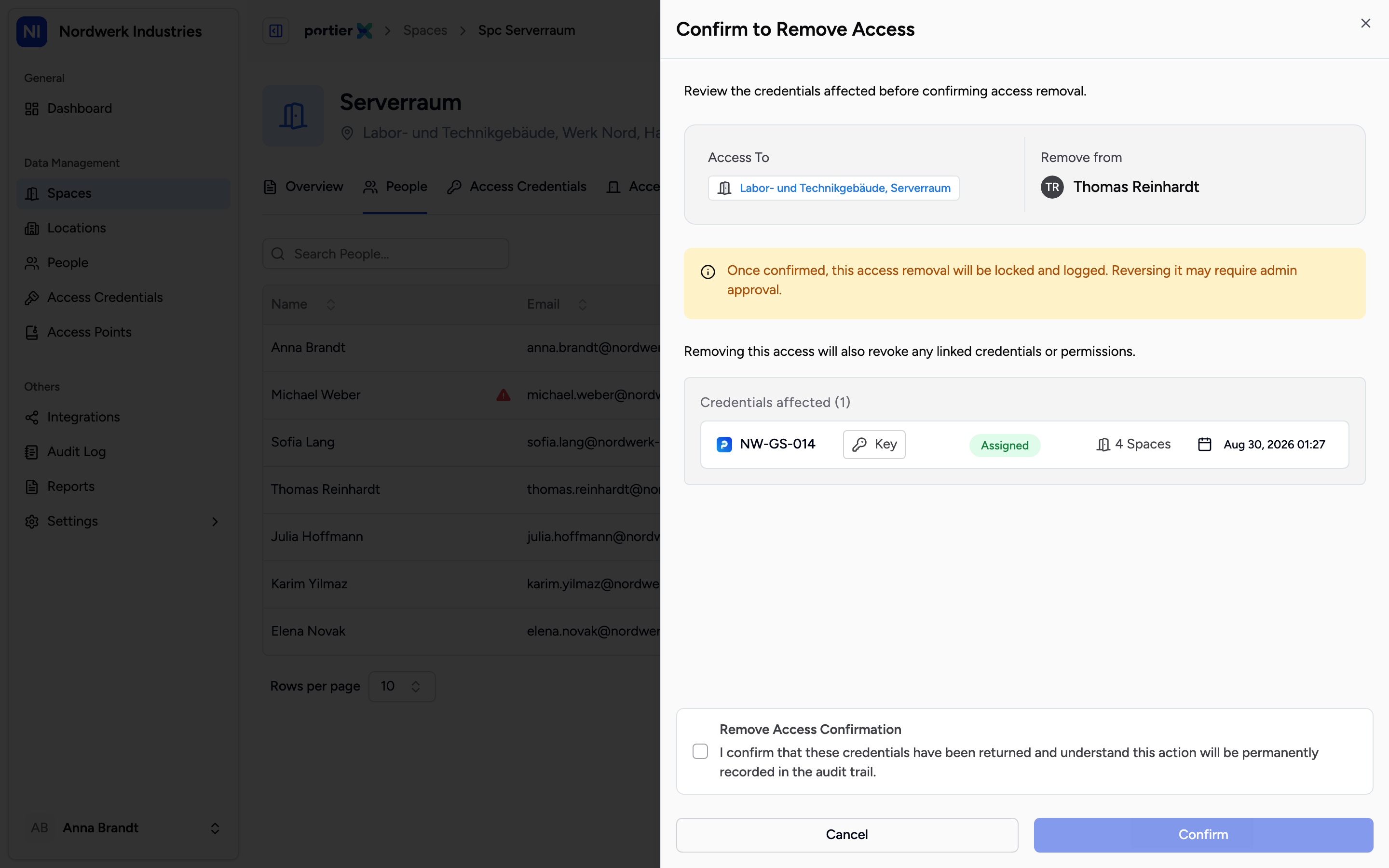
Credentials affected, with a count. Read that list before you tick the box.
Before anything runs, Remove Access Confirmation opens. At the top sit Remove from and Access To, and below them a heading reading "Credentials affected" with the count in brackets, then the list itself.
That list is the part that matters. It tells you in advance which keys the operation touches, and it is exactly where you see whether more is caught up in it than you meant. The note beside it puts the general rule: "Removing this access will also revoke any linked credentials or permissions."
Below that sits the warning that once confirmed, the removal is locked and logged, and reversing it may require admin approval.
The tick box underneath reads "I confirm that these credentials have been returned and understand this action will be permanently recorded in the audit trail." Read it. It is written for the mechanical case, where something genuinely is handed back. On a digital key nothing is returned, and you confirm the same sentence anyway.
Confirm to Remove Access finishes it.
If the person still has an unconfirmed handover open, the removal does not run. You get "Can't Remove Access Yet" instead, explaining that the pending assignment must be completed or cancelled first. Both of those are covered in the article on finishing a pending handover.
That message reads in English on the German and French screens.
This is not returning a credential. The full return, where the person is left holding nothing, is a separate job with its own article. This one is about a part.
This is not reporting an incident. Somebody who has lost a key files an incident. Removal is for the planned case.
The history block on the person is not translated. History Log and its entries read in English in every language.
The effect is inside portierX. On a mechanical locking system everything rests on the key actually coming back. portierX keeps the record; it does not devalue a cylinder.
