
If a colleague has a menu entry you cannot see, that is their role. portierX hides what you have no permission for rather than letting you walk into an error. This article tells you which role sees what.
The five roles
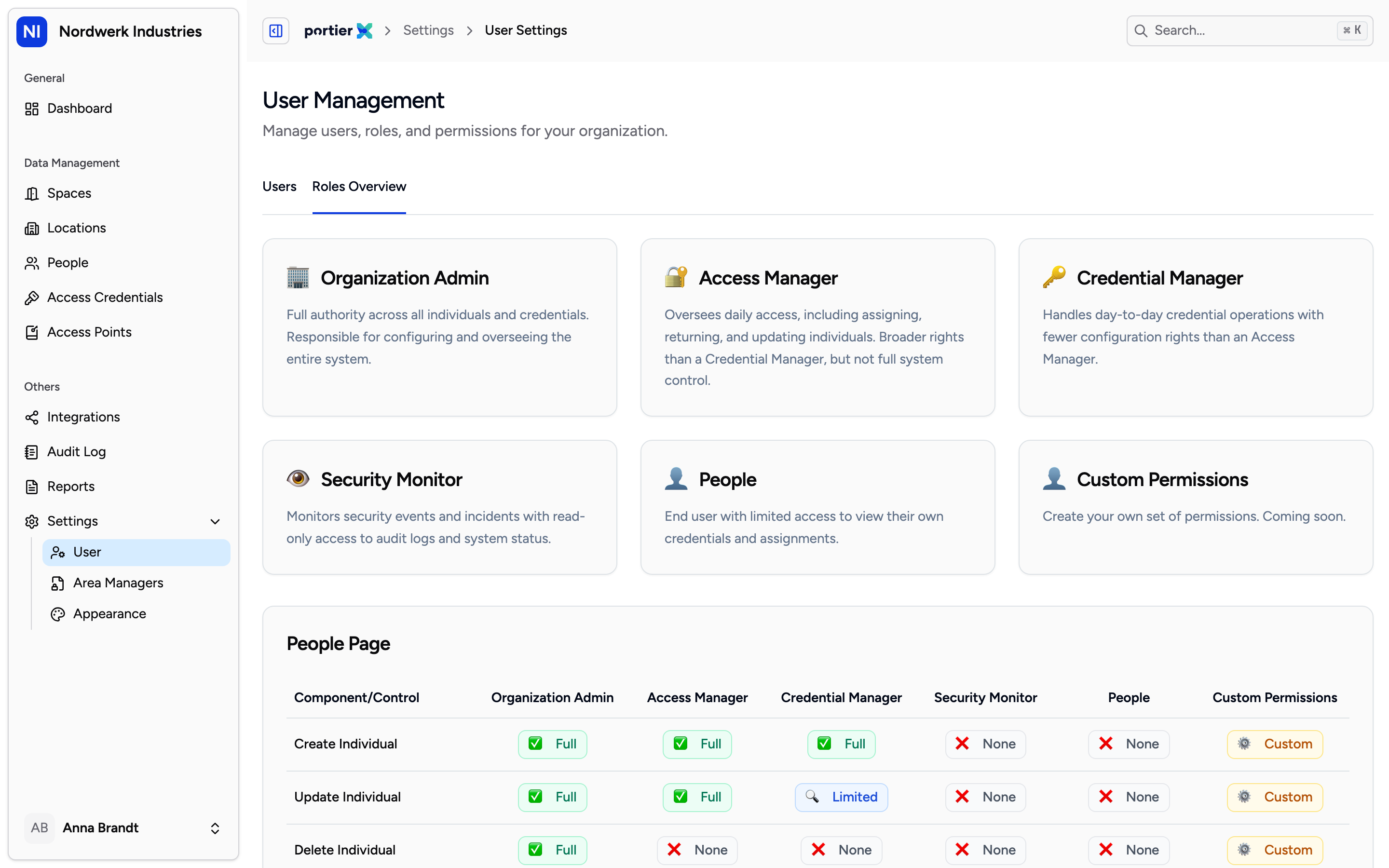
The roles overview under Settings shows each role and its rights. Your own role is set by your Organization Admin.
Organization Admin: full authority across all people and credentials. Responsible for configuring the whole system.
Access Manager: daily operations. Assigning, returning, keeping people up to date. Broader rights than a Credential Manager, but no system configuration.
Credential Manager: day-to-day credential work, with fewer configuration rights than an Access Manager.
Security Monitor: read-only. Watches events and incidents, changes nothing.
People: the end user. Sees their own credentials and assignments and nothing else. Referred to as the Individual role in portierX's own documentation.
Who sees which navigation entry
All five roles see Dashboard, Spaces, Access Credentials and Audit Log. The differences are in what comes on top.
Role | Also sees |
|---|---|
Organization Admin | Locations, People, Access Points, Integrations, Reports, Settings |
Access Manager | Locations, People, Access Points, Integrations, Reports |
Credential Manager | People |
Security Monitor | Locations, People, Access Points, Reports |
People | Locations, Access Points |
Settings is Organization Admin only. Integrations is Organization Admin and Access Manager only.
Two things surprise people regularly.
The People role cannot see People. That is deliberate. An end user should be able to check their own credentials, not browse the staff directory.
Seeing is not changing. A Security Monitor sees almost the same entries as an Access Manager but can edit none of them. The list controls what is visible, the role controls the buttons inside it.
Why a button is missing
Visibility is checked twice. Once on the sidebar, and again on every action. So you can see a list and still have no create button in it. A Credential Manager sees the people list and may add and edit people, but may not delete one.
If something you need for your job is missing, that is a question for your Organization Admin, not a fault.
What does not exist yet
Custom roles with a permission set you assemble yourself are announced in the roles overview but not available. Until then the five roles above are the complete choice.