
You added somebody to portierX and they cannot log in. That is not a fault. You probably added a person, not a user account, and those are two different things.
Person and user
A person is somebody who gets a key. They live under People, they hold access credentials, they walk through doors. They never sign in, they need no email address, and they never see portierX from the inside.
A user is a login. They live under Settings, then User, they have a role, and that role decides what they see and may do in the product.
The two are created separately and neither makes the other. Somebody who needs to be both, the facilities manager who administers keys and also carries one, is created twice.
Adding a user
Open Settings, then User, then Add. The panel is headed Add User.
You fill in Email, First Name, Last Name and Role. All four are needed, and the email address is what they will sign in with. Create User creates the account.
The list then shows Status and Roles.
Changing the role later
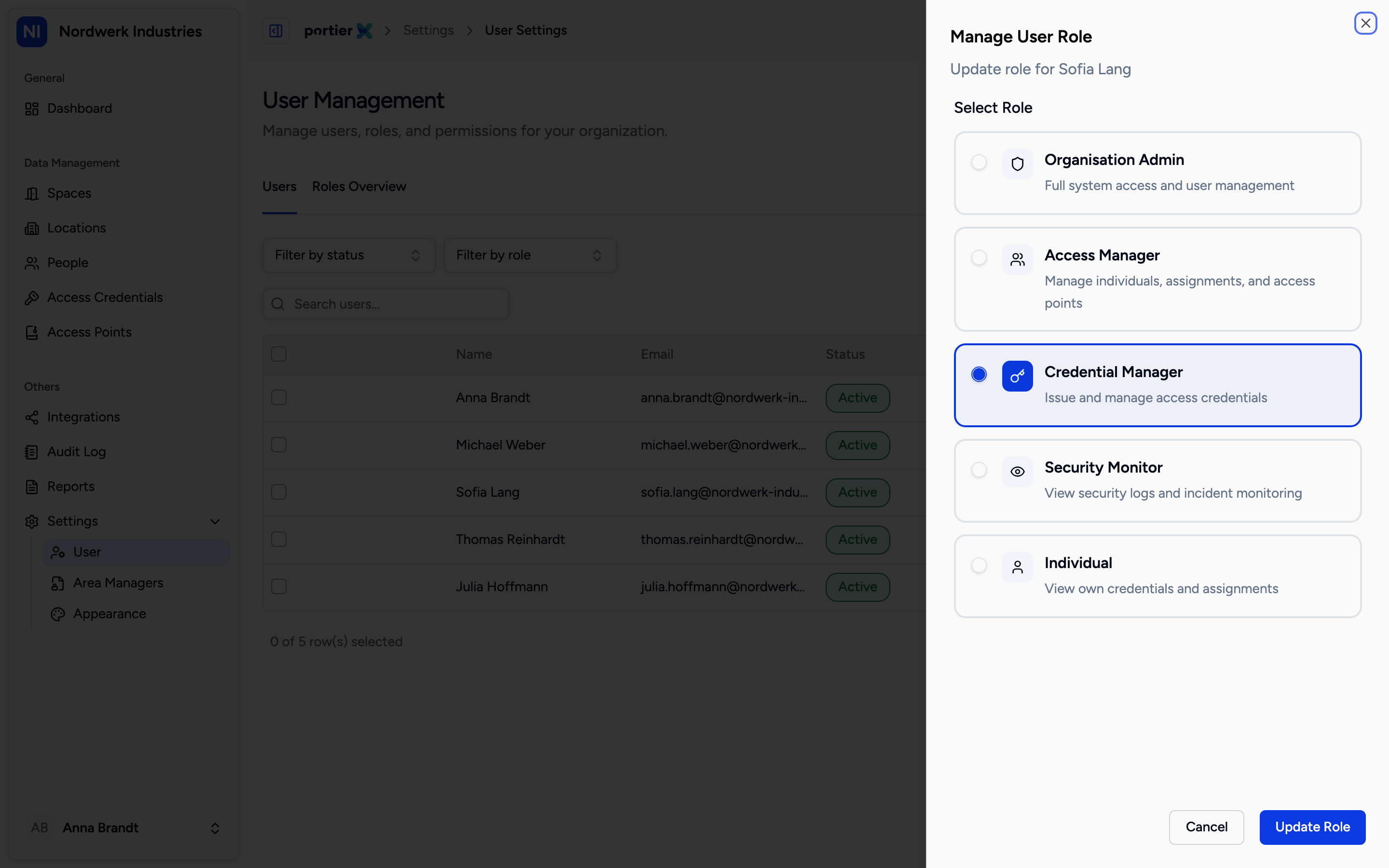
Manage User Role. Each role comes with a line saying what it is for.
From a user's row menu, Update Role opens the Manage User Role panel, with Update role for {name} beneath it. Select Role lists the five roles, each with a short description.
Organization Admin, full system access and user management.
Access Manager, manages individuals, assignments and access points.
Credential Manager, issues and manages access credentials.
Security Monitor, views security logs and monitors incidents.
People, views their own credentials and assignments.
Update Role confirms it.
What portierX warns about, and what it refuses
Two different things, and the difference matters.
High Risk Change is a warning. It appears when you are downgrading somebody and either taking them down from Organization Admin or removing several areas of permission at once. Underneath it, the product spells out what is being lost. You can continue, but you are meant to do it deliberately.
The messages under that warning are written into the product rather than translated. They read in English on the German and French screens too. The heading above them is translated; the sentence explaining it is not.
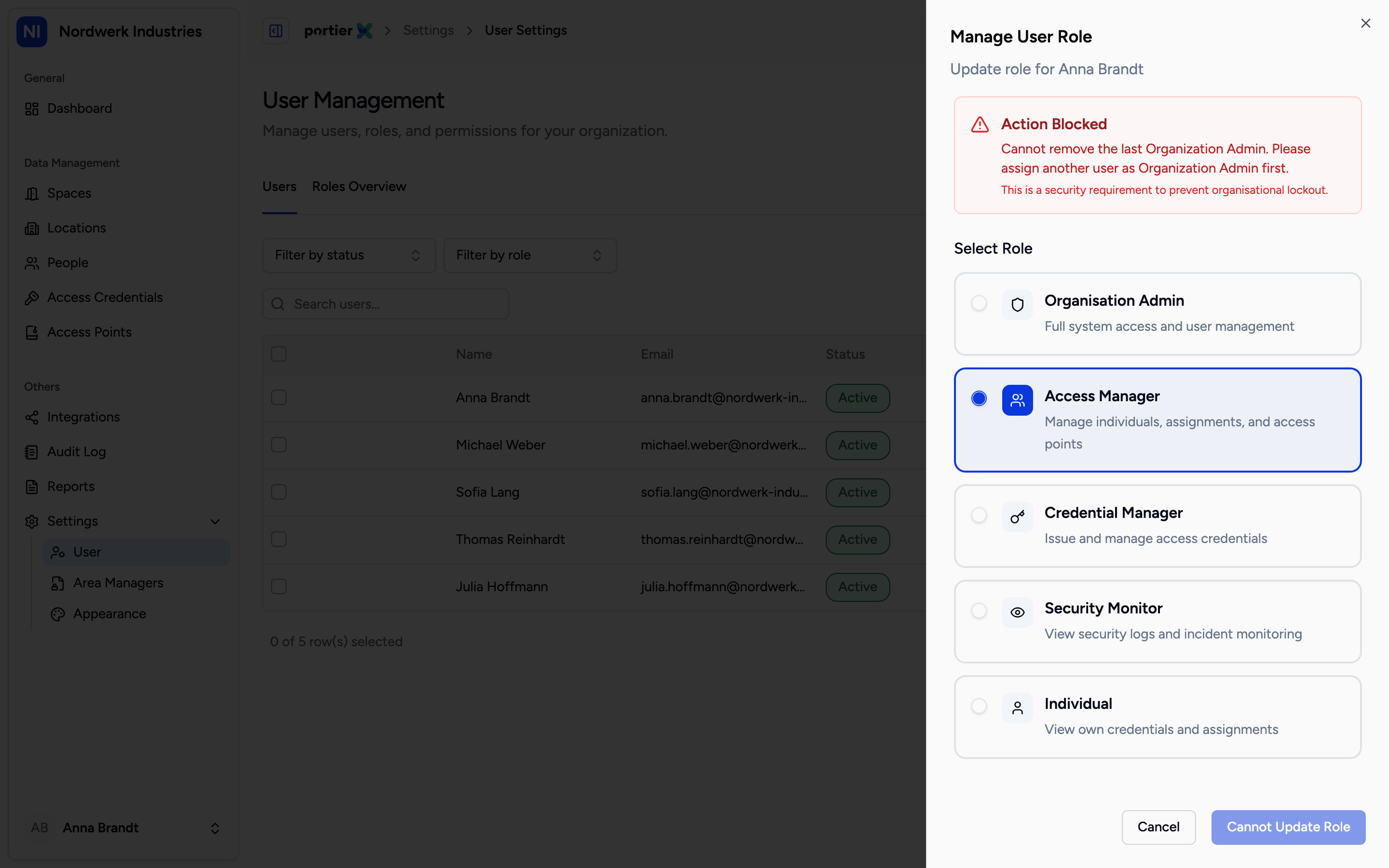
Action Blocked. The last Organization Admin cannot be downgraded, and the button says so.
Action Blocked is not a warning but a stop. It appears in exactly one case: you are trying to move the last remaining Organization Admin to another role. The text says another user must be made Organization Admin first, and beneath it sits the reason, "This is a security requirement to prevent organisational lockout."
The button at the bottom then changes to Cannot Update Role. There is no way past it, and that is deliberate: without it an organisation could lock itself out of its own system entirely.
Limits
Custom roles do not exist. The roles overview announces them, with "Create your own set of permissions. Coming soon." Until then the five above are the complete choice.
The role governs the product, not the door. A Security Monitor can see everything and change nothing. That says nothing about which doors their key opens, because that follows the person and their credentials, not the user account.
Changing a role does not take access away. Somebody holding a credential still holds it after a downgrade. Access is taken back through the person, not through the user.