
A reported incident stays open until somebody closes it, and the credential stays blocked that whole time. This article is about the moment you know what actually happened.
Before you start
A Credential Manager can report an incident but cannot resolve one. The button is disabled for that role and says so in its tooltip. If the button is missing for you, that is why.
The three outcomes
On the open incident card, Resolve incident opens the window. The top of it restates which credential this is, who held it and what was reported. Below that sit three choices, and you pick exactly one.
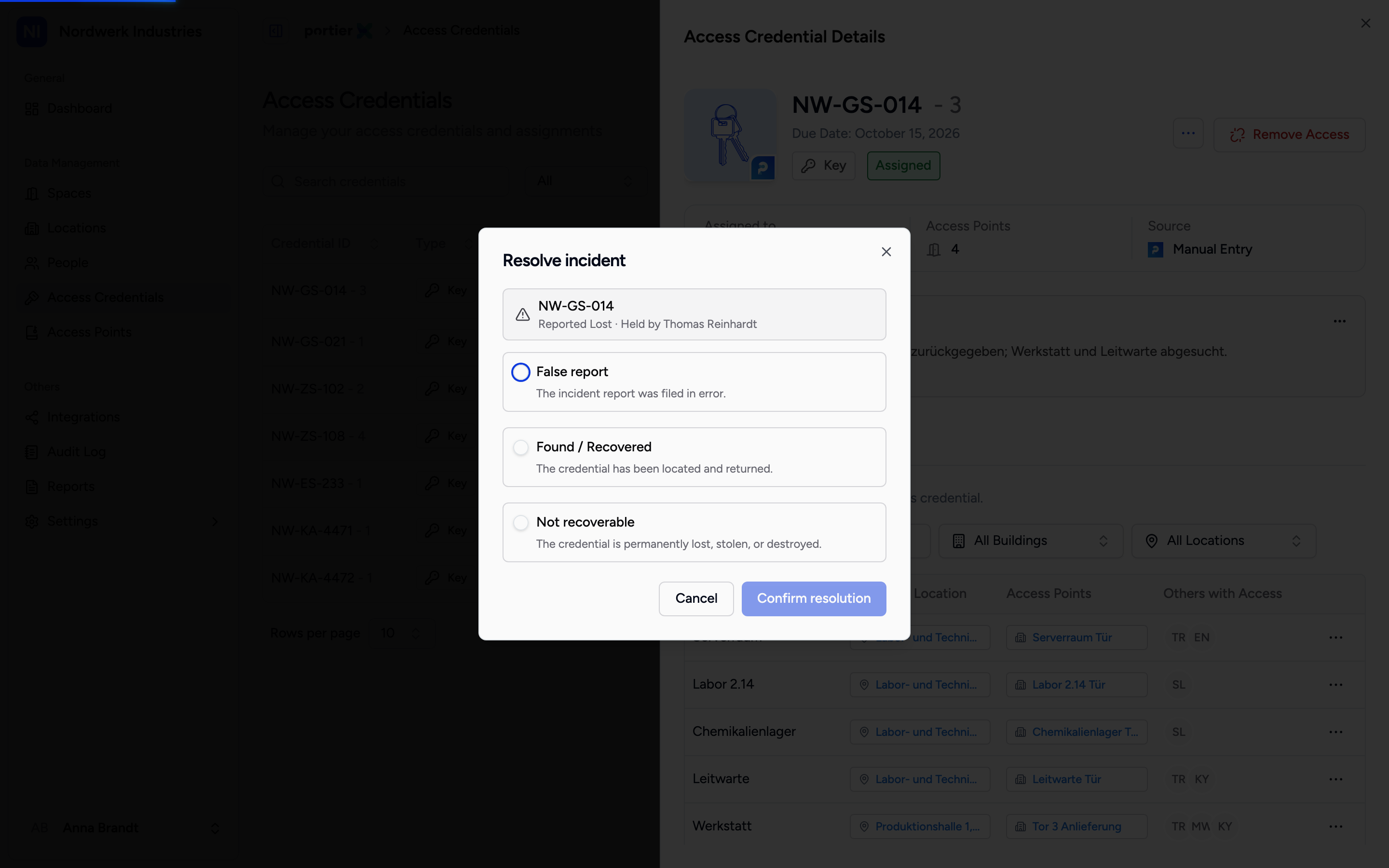
Three outcomes. The middle one asks a follow-up, the bottom one too, the top one closes straight away.
False report is the report that should never have been filed. Its description says as much: the incident report was filed in error. portierX asks nothing further. The credential is unblocked and goes back to where it was.
Found / Recovered is the key that turned up. What happens next? appears underneath with two choices.
Re-assign to previous holder hands the credential back to the same person who had it. Their name is in the line.
Release (mark as available) frees it without assigning it to anybody. It goes back into stock.
Not recoverable is the key that has gone for good. Its description names the three cases: permanently lost, stolen or destroyed. Select outcome appears underneath and you say which of the three it was: Confirmed lost, Confirmed stolen or Destroyed.
What Not recoverable does
There is no choice about the consequence here. Pick this outcome and the credential is archived, and the warning tells you first what that means: "This action is permanent. The credential will be archived and cannot be used again."
Take that literally. The credential is out of circulation for good. It cannot be released, reassigned or recovered. If the key turns up three weeks later, this record will not help you.
The difference between Confirmed lost and Confirmed stolen changes none of that. It shows up later in the record, and there it is the difference between a mishap and a security incident. Choose it deliberately.
Confirm resolution finishes.
What is left of the incident
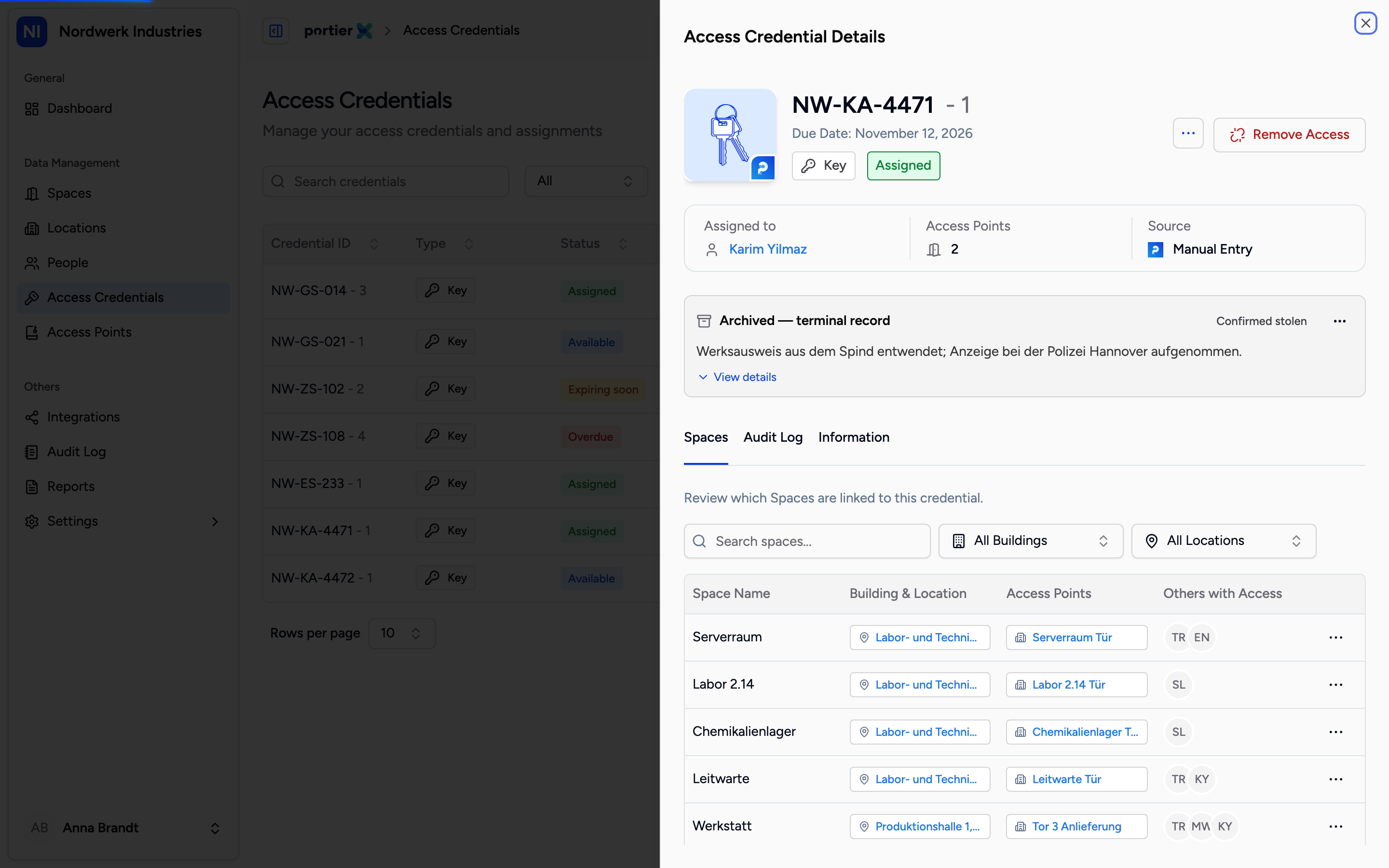
The archived record. It is the end of the line and keeps what belonged to the incident.
After archiving, a closed record replaces the open incident card. It is marked Archived and keeps what evidences the matter: Outcome, Original incident date, Original report, Resolution reason, Action taken, Resolved at, Resolved by and the reference number.
That is the record you produce later. It says what was reported, how it ended, who decided that and when.
Limits
Archiving is final. There is no way back, not through a button and not through the individual's details.
No document can be attached here either. The download button sits on the archived record but stays inactive, because nothing could be attached when the incident was reported.
Unblocking acts inside portierX. On a mechanical locking system, neither blocking nor unblocking does anything at the door. What portierX holds is the record, not the cylinder.
There is no in-between state. An incident is open or closed. "Probably lost, still waiting" is not an option, and anyone who needs it simply leaves the incident open.