You issued somebody a key and sent the confirmation. They did not respond. The handover now reads Pending and is waiting, and this article is about the morning after.
Open the person, then Reserved Credentials History.
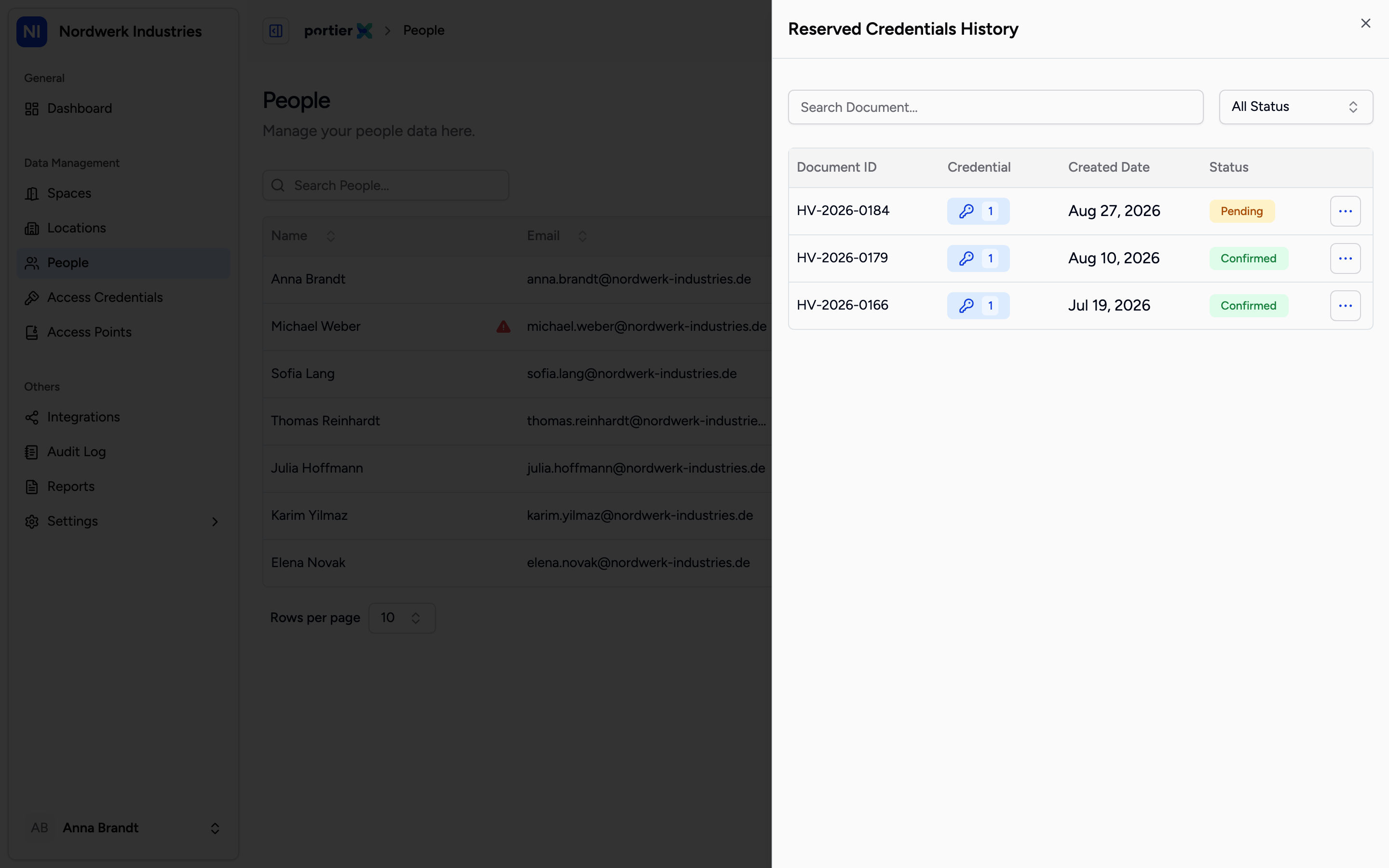
Each row is one handover. The rows reading Pending are the ones still making work.
The list carries Document ID, Credential, Created Date and Status. The filter above narrows to one status, and search runs on the document number.
There are three states you will actually see: Pending, Confirmed and Cancelled. A handover does not lapse on its own. It stays open until somebody acts, which is why this article exists.
Only a row reading Pending carries the four actions in its row menu. Every other row offers View and nothing else.
Confirm with PIN/PDF is the regular close. The recipient was sent a six-digit PIN by email. You ask them for it and type it in.
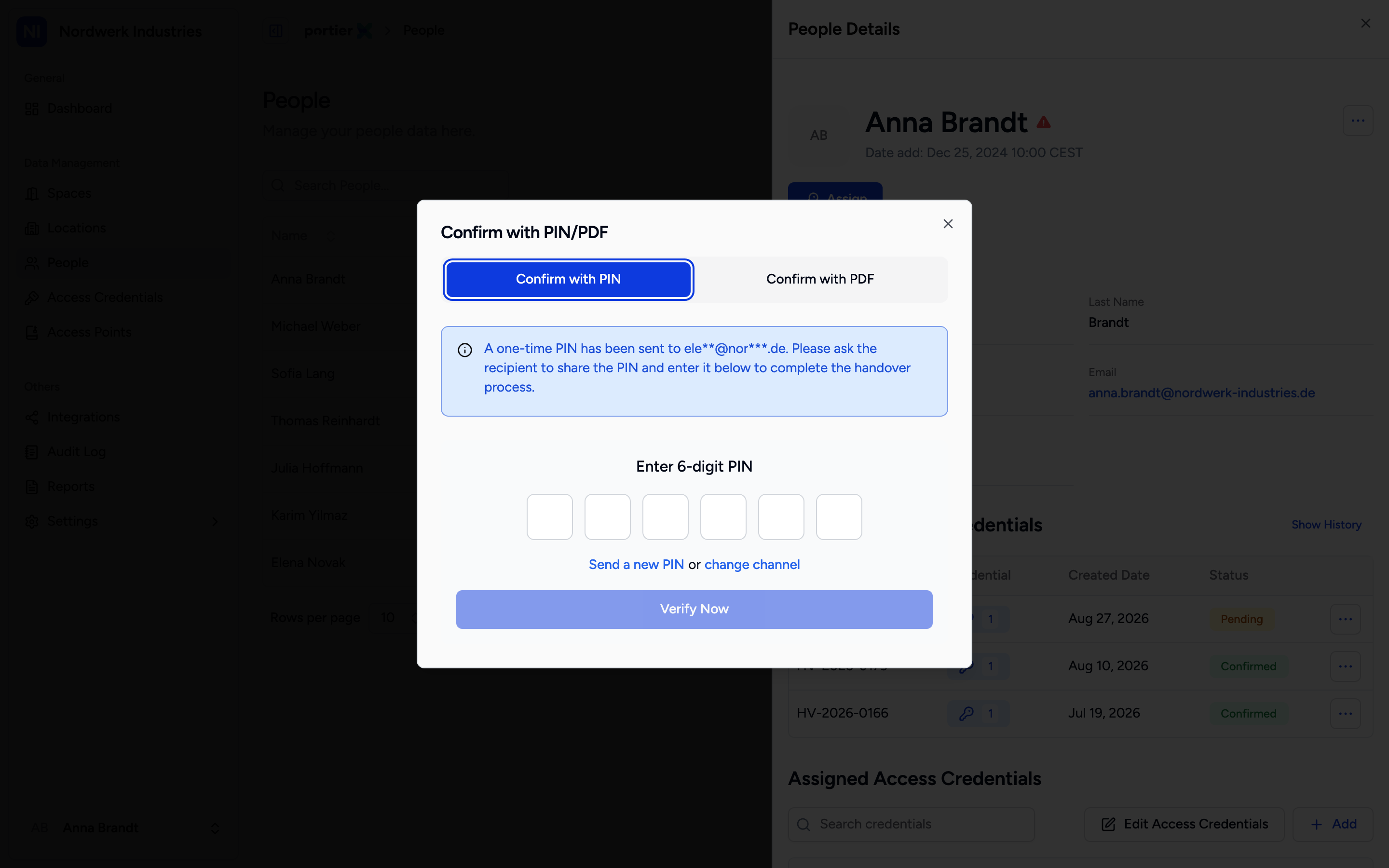
Confirm Credential Handover. If the PIN never arrived, send a new one rather than waiting on the old one.
The window is headed Confirm Credential Handover and offers Enter 6-digit PIN, Send a new PIN and Skip for Now. The note underneath says the confirmation can be reached again from the individual's details, which is exactly where this article has sent you.
Resend email sits on the handover proof. First thing to try on somebody who simply never saw it.
Confirm Offline is the route when the signature happened on paper.
Cancel Assignment takes the issue back. The right move when the handover never happened at all.
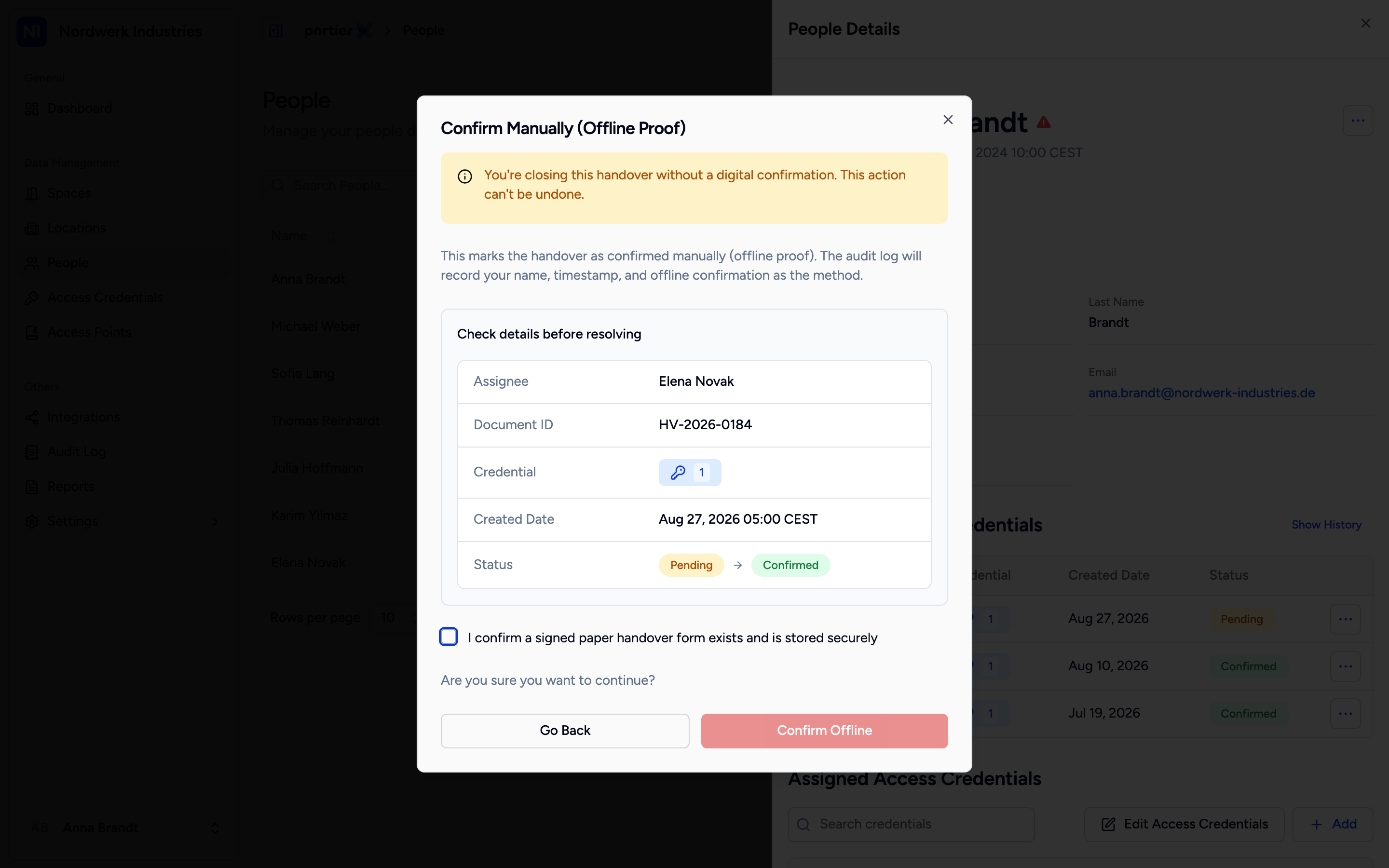
Confirm Manually. The tick is a statement about a piece of paper on your desk, not one in portierX.
Confirm Manually (Offline Proof) first shows you Assignee, Credential, Document ID, Created Date and Status to read back. Then you tick "I confirm a signed paper handover form exists and is stored securely".
Read that sentence properly. You are stating that a signed piece of paper is in your keeping. portierX never sees that paper and does not check it. The warning above it is blunt: "You're closing this handover without a digital confirmation. This action can't be undone."
The audit log records your name, the time, and offline confirmation as the method. So anyone reconstructing this later sees that you declared the handover, not that the recipient confirmed it. That distinction matters at precisely the moment somebody asks.
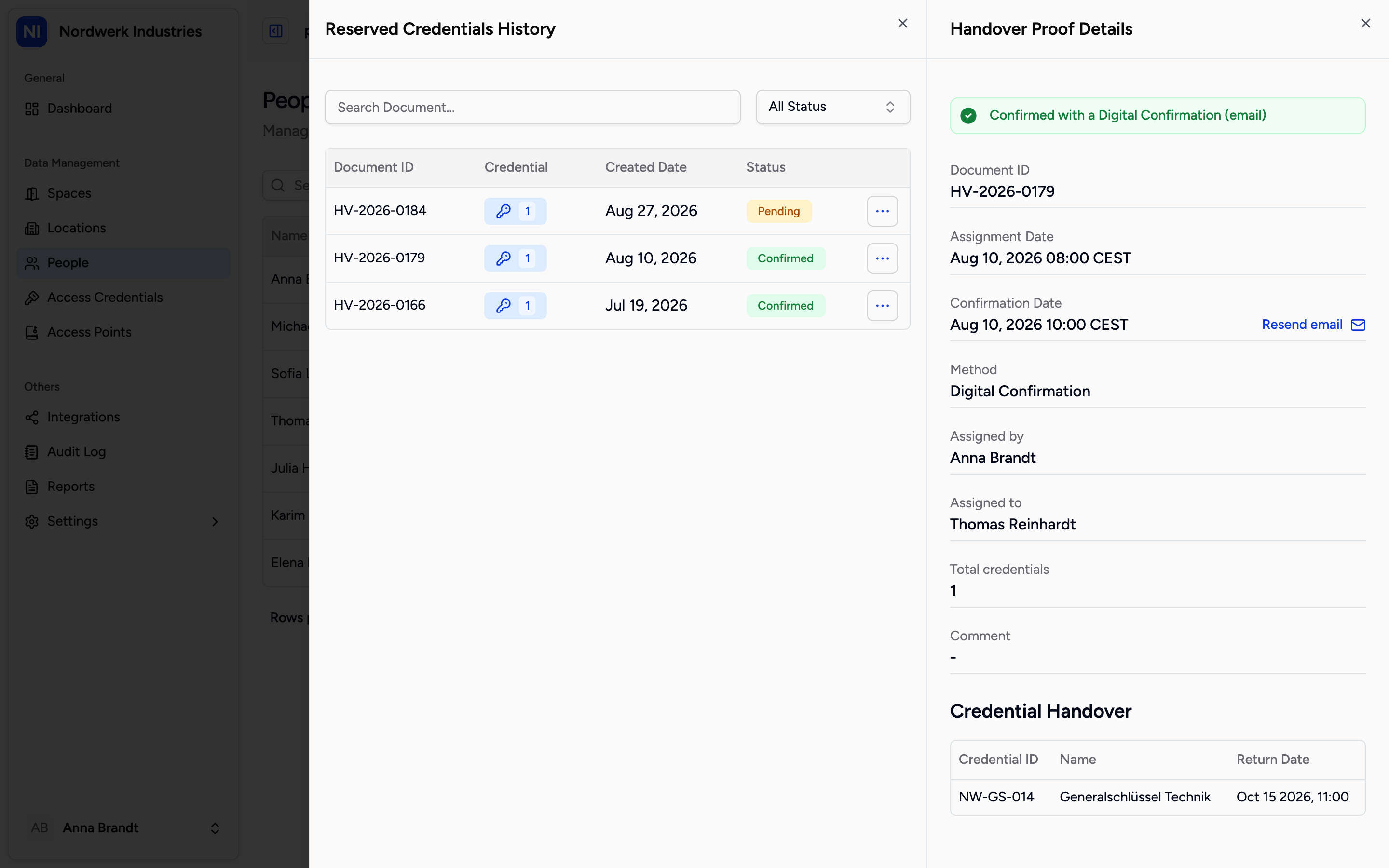
Handover Proof Details. Method is the field that later answers how this handover came about.
Handover Proof Details is the record for one handover. It carries Document ID, Assignment Date, Method, Confirmation Date, who assigned and to whom, and under Credential Handover the list with Credential ID, Name and Return Date.
Method is the field that counts. It separates a handover confirmed by PIN from one declared offline.
You can attach a document of your own here, the field is Choose file (optional), and resend the confirmation email.
There is no SMS confirmation. The Via SMS box is permanently greyed out and labelled Available soon. The description beside it still promises the PIN "by email or SMS". That is half true today, and the half is email.
A handover does not expire. There is no state it falls into on its own and no reminder that goes by itself. Nobody who fails to chase it will find anything different a year later.
The digital signature is not on production yet. It is available on the test environment, where you hand the device over and the recipient signs on screen under Digital Signature. If you cannot see it, that is why.
The confirmation email is a notification, not the proof. The proof is the signed document and the audit log. The product says as much, though only in English.
