
A key has gone. Report it in portierX and the credential is blocked at once, and cannot be given to anyone until the incident is resolved. It is the fastest response available to you.
Where to report it
Report Incident appears in three places, and all three open the same window.
In the Access Credentials list, from a row's menu.
On a person, against the credential listed there.
On an access point, against the credentials that turn in it.
Use whichever you are standing on. It makes no difference.
The form
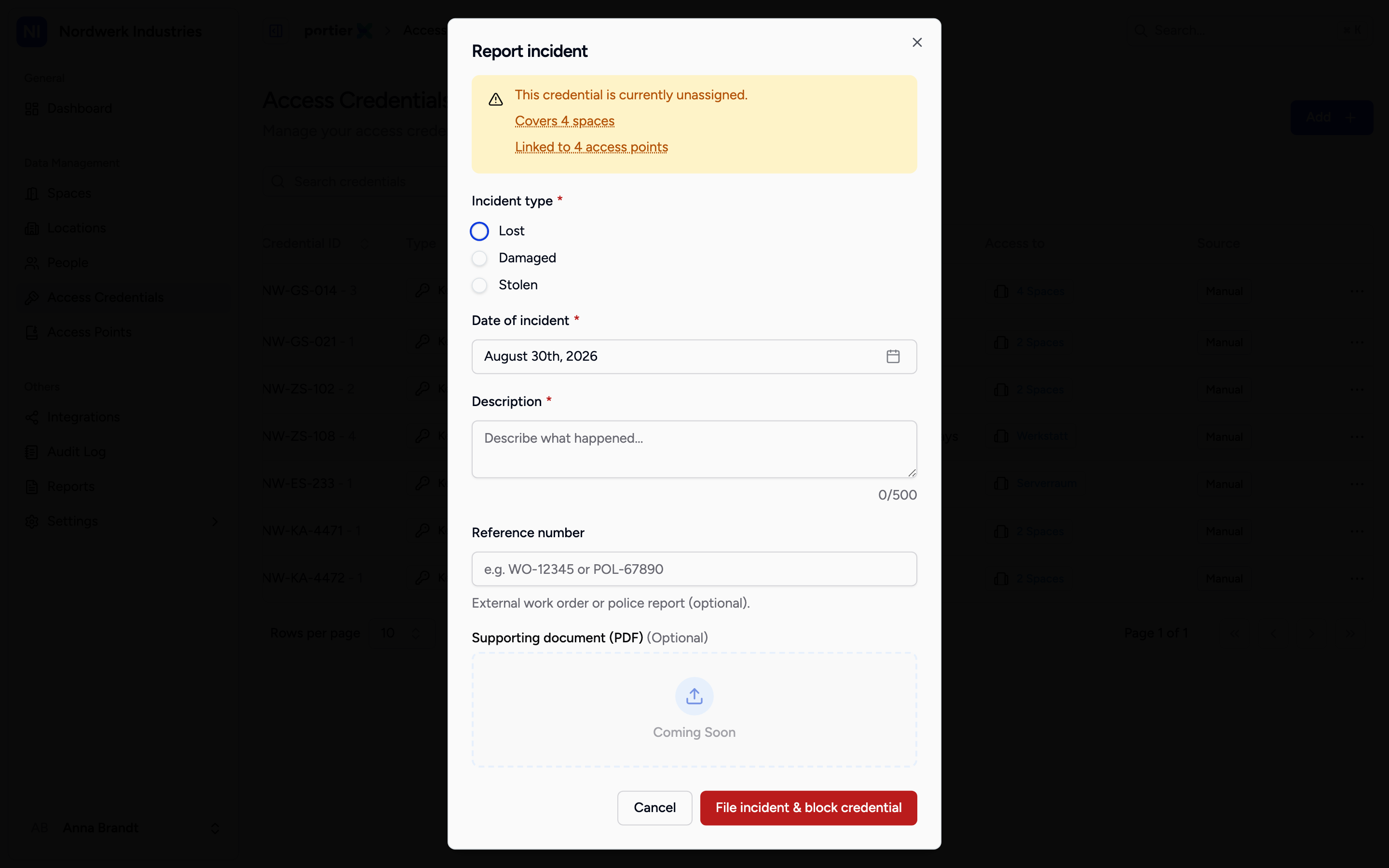
The top of the window says who the block hits and how many spaces and access points are affected. Read that line before you submit.
Above the form sits a note on what filing will do. If the credential is issued, it names the person whose access is about to be blocked. If it is not, it reads This credential is currently unassigned. Beside it sits how many spaces the credential covers and how many access points it is linked to.
That is the sentence to read before going further. A group key can cover twenty doors, and the block reaches all of them.
The form asks for four things.
Incident type, one of Lost, Damaged and Stolen. Required.
Date of incident, when it happened, not when you are reporting it.
Description, what happened. Required, 500 characters at most.
Reference number, your own work order or police report number, optional. The hint underneath offers WO-12345 or POL-67890 as the shape.
Below that sits Supporting document (PDF). That field is not in service. The area is greyed out, accepts no file, and is labelled Coming Soon. A police report or work order cannot be attached today, so put its number in Reference number instead.
The submit button reads File incident & block credential, which says what it does.
What changes afterwards
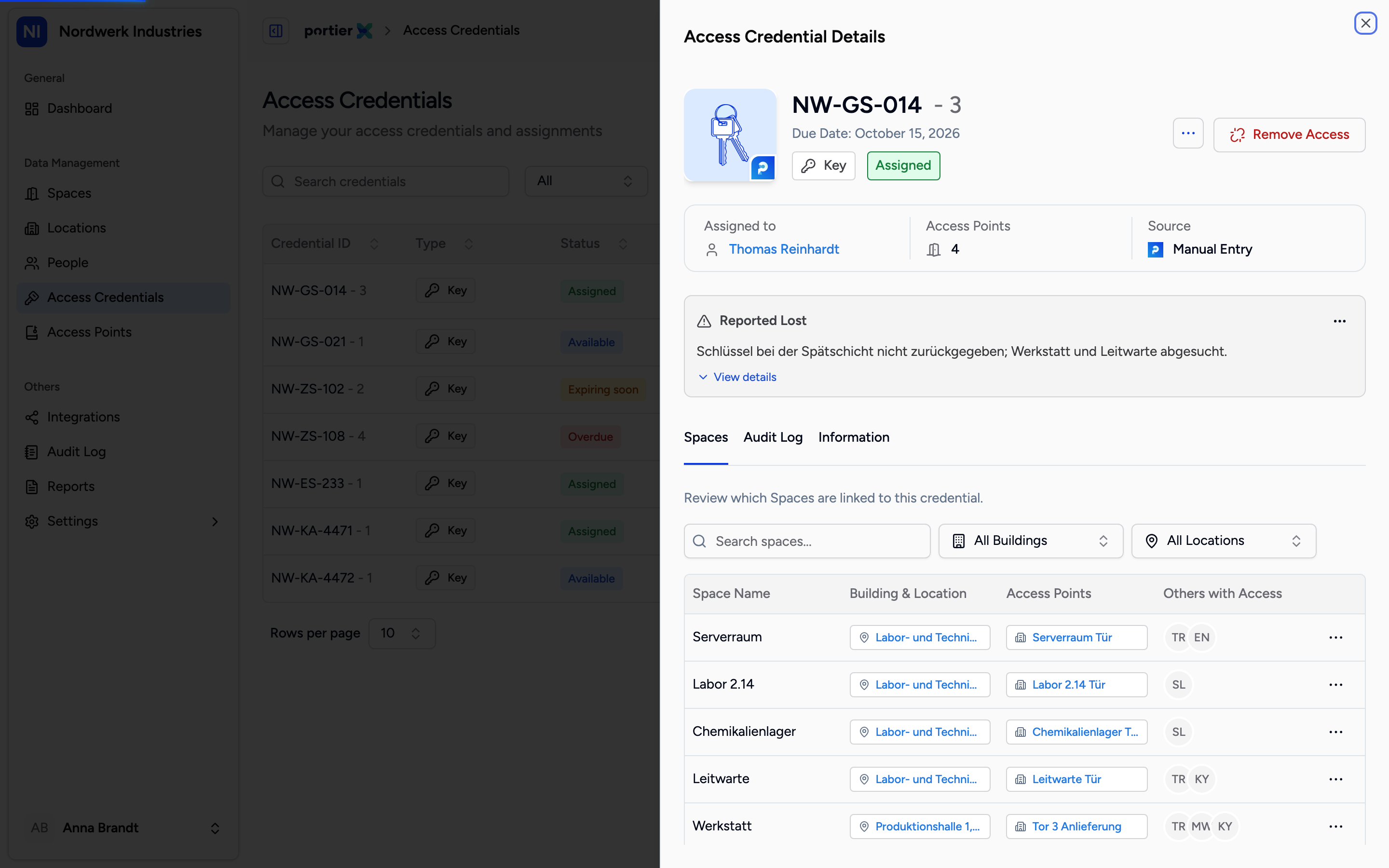
The open incident card sits on the credential. It carries the type, the date, the description and who filed it.
A card headed Open incident now sits on the credential. It shows the incident type, Date of incident, the description, Reference and Filed by. View details opens the rest.
The credential is blocked for any assignment. In the assignment view it no longer appears as available, and instead carries Reported lost, Reported damaged or Reported stolen according to type.
You can add or change the reference number later on the open incident. Edit incident changes the rest.
What reporting does not do
It opens no door and closes none. The credential is blocked inside portierX. Whether the lost key still turns in your door depends on your locking system, not on portierX. On a mechanical system that means the key keeps working.
No document can be attached. Both ends are missing. The upload area is switched off, and Download PDF on the open incident is correspondingly inactive, with the note "PDF download will be available in a future release."
The matter is not closed by reporting it. An open incident stays open until somebody resolves it. What that decision involves is in the article on closing out an incident.
A Credential Manager can report but not resolve. The product says so on the button itself.