Every connected system looks the same, whether that is SALTO, dormakaba MATRIX, eCLIQ or Entra ID. This article explains that screen once so the per-vendor articles do not have to do it four times.
Clicking a connected tile under Integrations opens a panel at the edge of the screen with Information Details and Synchronisation History. That is the short view.
The full connection page is behind the tile itself. It carries tabs: Summary always, then Configuration, Sync Log and more depending on the vendor.
If you are looking for something and cannot find it, check which of the two views you are standing in first.
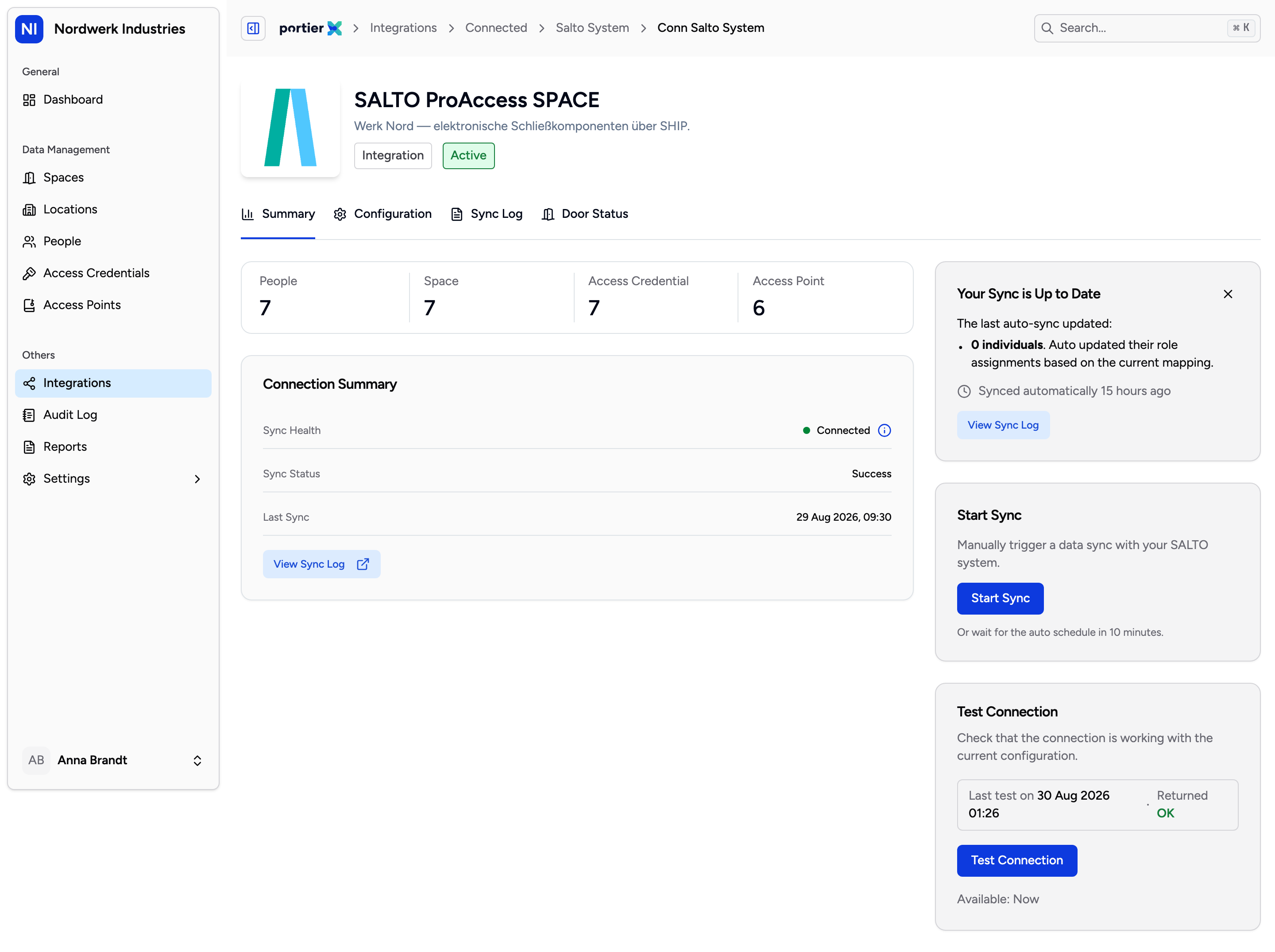
The connection summary with Sync Health, Sync Status and Last Sync. The two buttons sit to the right, with the time until they return underneath.
The Summary tab carries three readings side by side.
Sync Health says whether portierX can reach your system at all. Sync Status says what the last run did. Last Sync says when that was, in minutes or days rather than as a timestamp.
The three answer different questions. A healthy connection with a failed status means the system answers and the run went wrong anyway. That is a different investigation from a system that does not answer.
Three reasons, and all three are intended behaviour.
The health check has not passed. While it fails, sync stays blocked. The screen says so itself with "Sync is unavailable until the connection health check passes." Fix reachability first.
A cooldown is running. After a run the button is locked for a while, and the screen names how many minutes until it comes back. Test Connection has a cooldown of its own.
A run is already going. The button then reads Syncing....
None of that stops the automatic schedule. The screen puts it as "Or wait for the auto schedule in 10 minutes." Doing nothing is often the right answer.
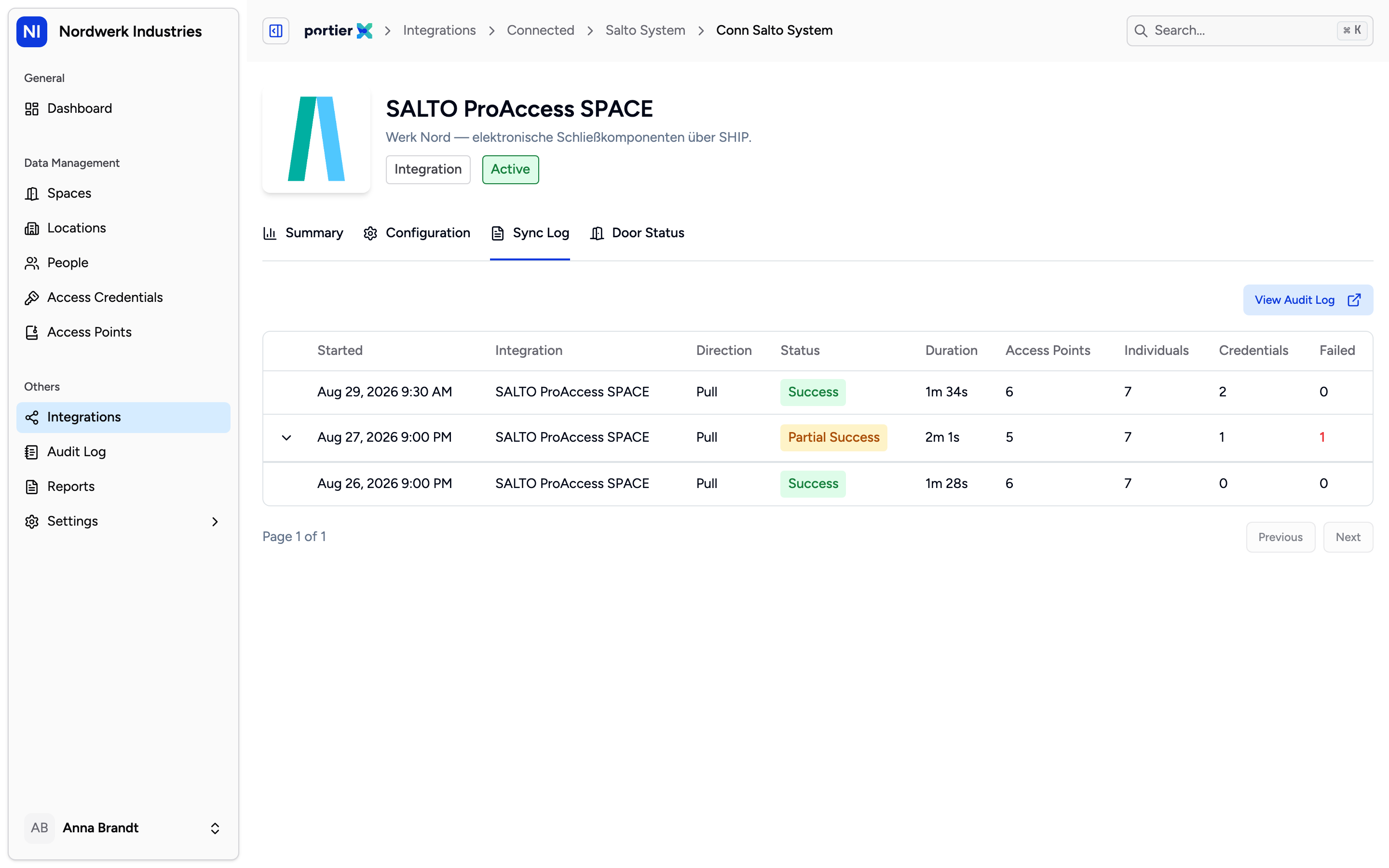
One row per run. Expanding shows the individual changed fields; the column headings stay English in every language.
The Sync Log tab lists every run as its own row, expandable down to the individual changed field. It answers the question the summary leaves open: not whether it worked, but what arrived.
Each row reads Success, Partial Success or Failed. Partial Success is the one worth opening. The run happened, some records did not make it, and the summary above still shows a healthy connection.
The column headings on that table are written into the product rather than translated. They read in English in all three languages: Started, Integration, Direction, Duration, Access Points, Individuals, Credentials and Failed. The status itself is translated. The field names inside an expanded row stay English too.
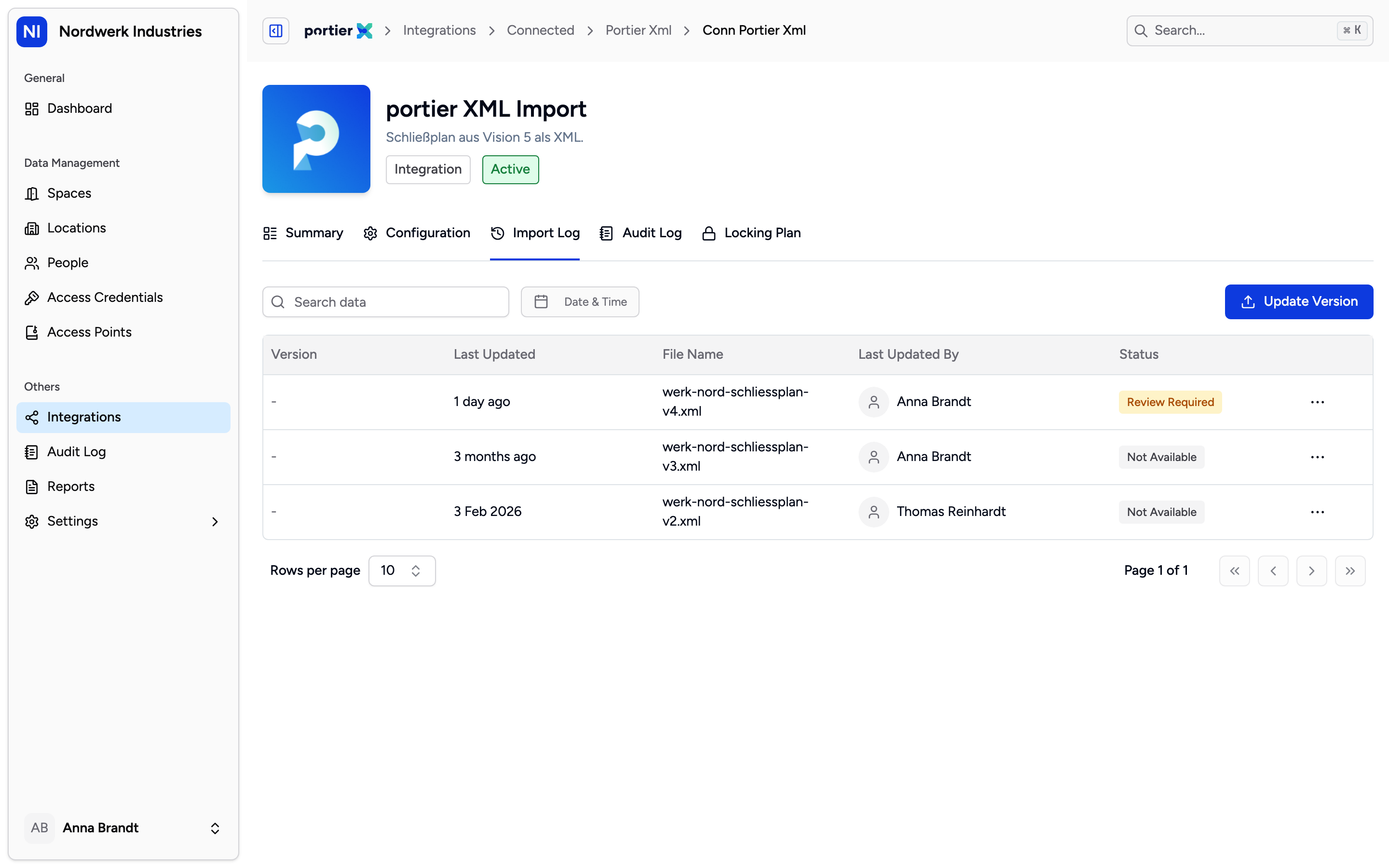
The import log belongs to the file-based connections. Version, File Name and Executed by, with Retry Import alongside.
Import Log exists only on the connections that run from a file, which is the master key system manufacturers using portier XML. A SALTO or MATRIX connection has no such tab, because no file arrives.
It carries Version, File Name, Last Updated, Executed by and the outcome, alongside Download File, Retry Import and Update Version. Below the upload area sits the limit, "Supported format: XML • Maximum Size: 100 MB". This area is fully translated.
Synchronisation History in the short view lists File Name and Date Processed. It is aimed at files as well. On a connection that takes no file it stays empty, and that is not a fault.
A healthy connection says nothing about whether the data is right. It says the system answers.
The history reaches back as far as portierX recorded runs. How long that is, is agreed with portier.
Sync pulls data out of your system. What you create in portierX does not travel back the same way.
