Someone who already exists in Entra ID does not need creating a second time in portierX. Over SCIM, Entra ID pushes users and groups across on its own and keeps them current. New staff appear, leavers go, and nobody maintains two directories.
SCIM is a push. Entra ID decides when something is sent, not portierX, which is why there is no button here that triggers a pull.
The connection lives in two separate places in the product, and you need both.
Settings, then Provisioning, is where the token Entra ID signs in with is generated. Only organisation owners and administrators see that entry.
Integrations, then Entra ID SCIM, is the connection itself. That is where you later see what actually arrived.
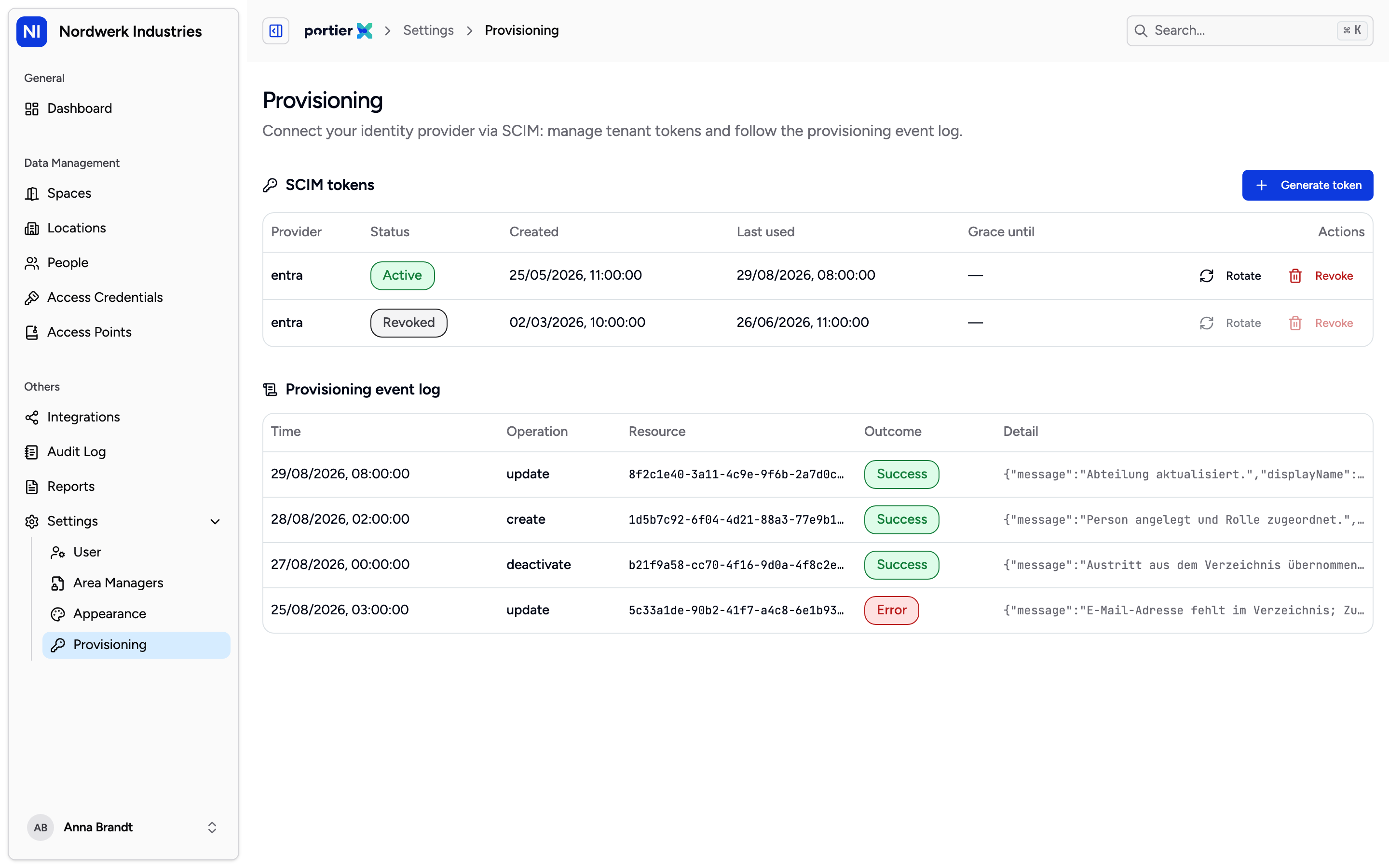
The SCIM token table with status, creation date and last use. Generating, rotating and revoking all happen on this page.
The page carries two blocks, SCIM tokens and Provisioning event log. It is untranslated in every language, so it reads in English on the German and French screens, down to the Provisioning entry in the sidebar.
Generate token creates one. A dialog then opens once, holding Tenant URL and Secret token. Copy both values there and then. After you close it the token is held only as a hash and cannot be shown again.
The table below lists Provider, Status, Created, Last used, Grace until and Actions. A token reads Active, Grace window or Revoked.
Two actions, and the difference matters.
Rotate issues a new token and leaves the old one working for a while, so you can repoint Entra ID without an outage. Grace until names the moment that ends.
Revoke stops the token immediately. There is no grace window, and provisioning from Entra ID fails until a new token is configured there.
Open Integrations and the Entra ID SCIM tile. The form asks for Token ID, Token and SCIM URL, all three required. Those labels come from the connection schema rather than the translation files, so they read in English in every language.
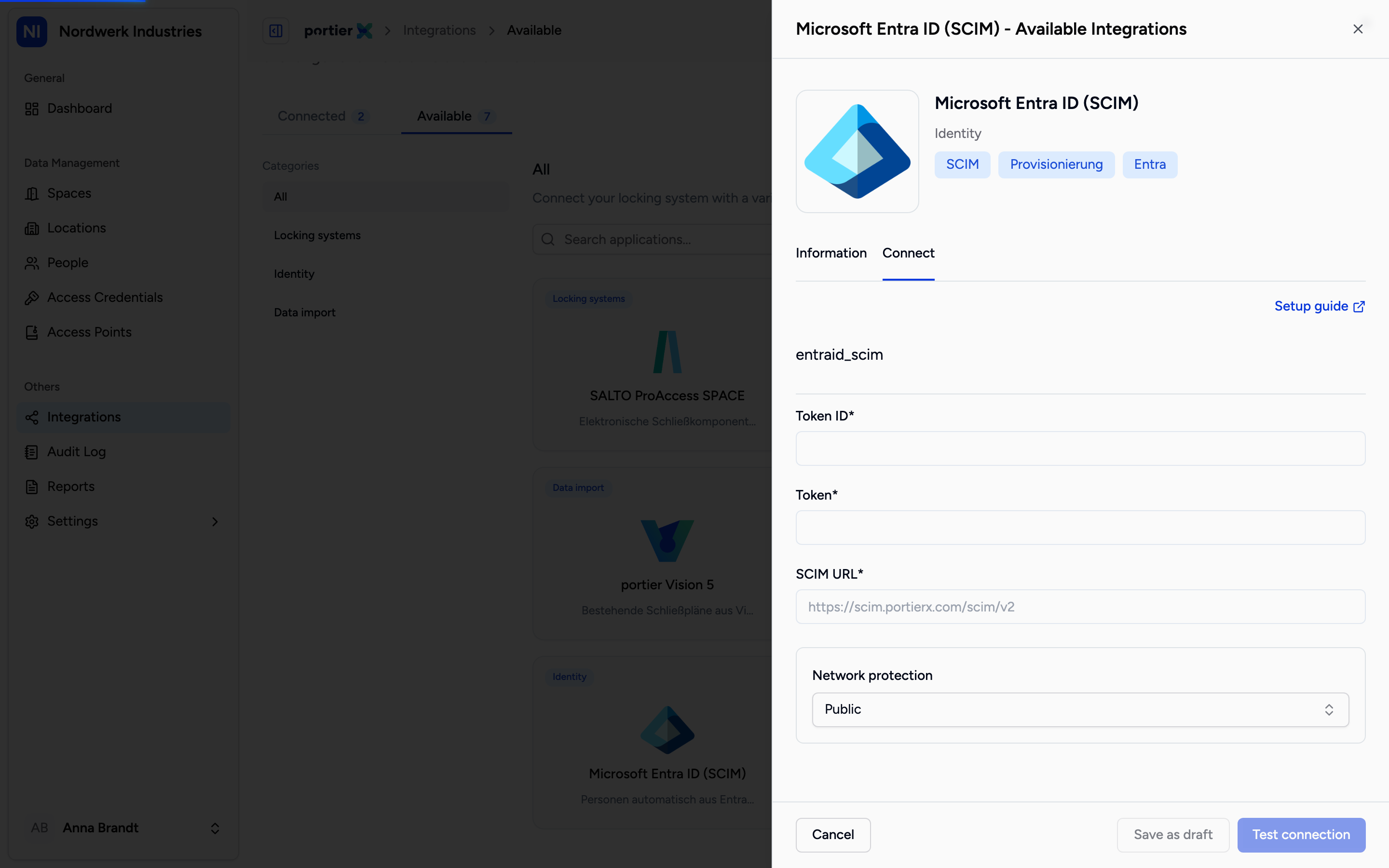
The three values come from the provisioning page. SCIM URL is the tenant URL you were shown there once.
The same values go into the provisioning app on the Entra ID side.
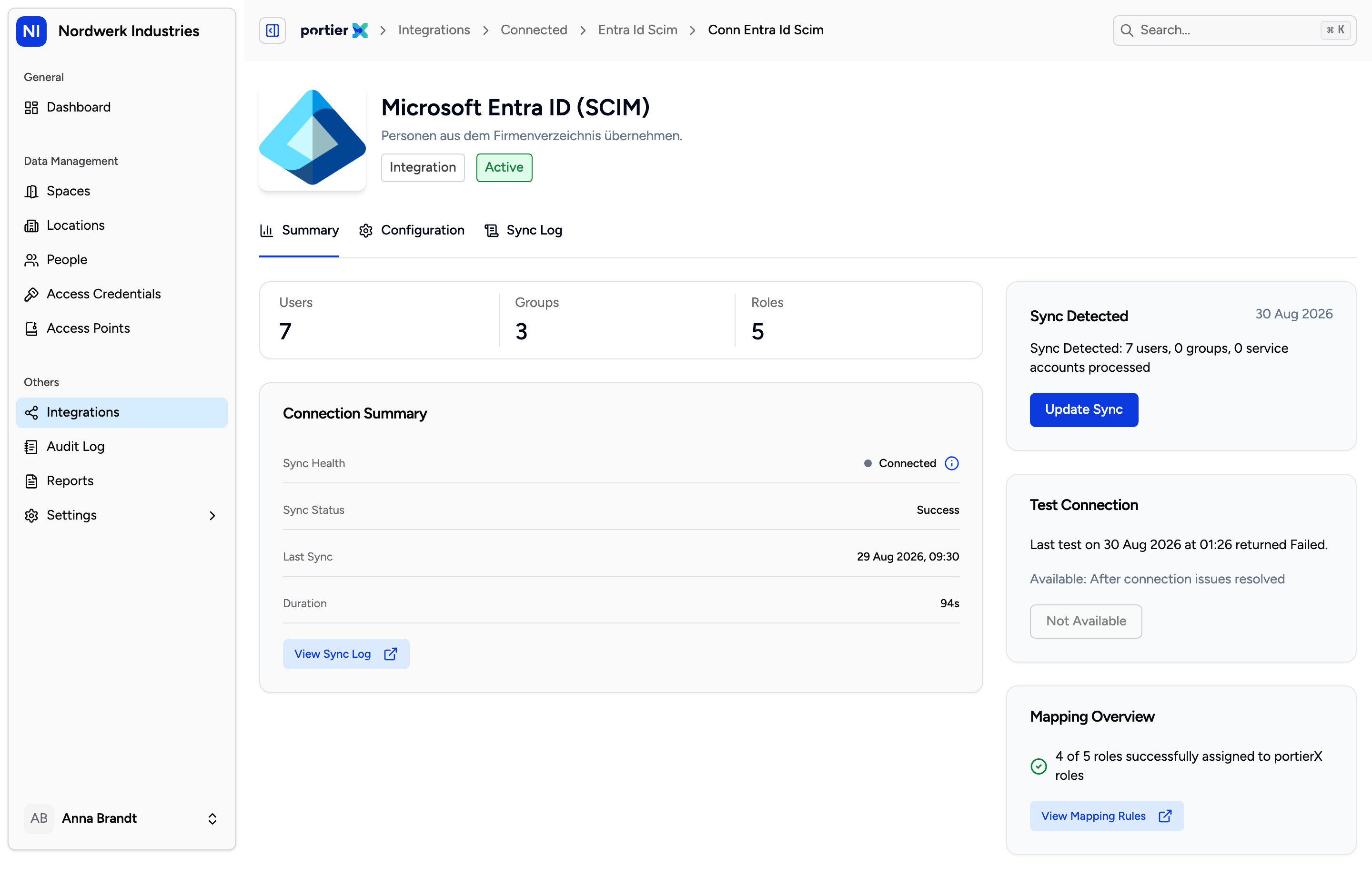
The connection summary counts the users, groups and service accounts in the last push, and below it says how many roles could be mapped.
The Summary tab carries Connection Summary with Sync Status and Last Sync, alongside the counts of users, groups and service accounts in the last push.
Below that sits Mapping Overview. Its line tells you how many Entra ID roles were mapped onto portierX roles, in the form "3 of 5 roles successfully assigned to portierX roles". View Mapping Rules takes you to the rules behind it.
Back on the provisioning page, Provisioning event log lists every operation with Time, Operation, Resource, Outcome and Detail. Outcome reads Success, Rejected or Error. That is where you look when Entra ID reports everything as green and someone is still missing in portierX.
The connection's Configuration tab is not built. It says so itself with "Entra ID SCIM configuration settings will be available soon."
Its Sync Log tab likewise, with "Entra ID SCIM synchronisation log history will be available soon." Until that lands, the event log on the provisioning page is where you look.
The provisioning page is not in your account yet. It is still being built, so this is not a question of your permissions. Ask us if you want Entra ID provisioning for your organisation, and we will tell you where it stands.
A person arriving over SCIM does not yet have access to anything. SCIM brings people and groups, not keys. Who gets into what is still yours to decide inside portierX.
