portierX reads your doors, users and credentials out of SALTO over SHIP, SALTO's own interface. Until that connection stands, the Spaces, People and Access Credentials workspaces stay empty.
Setting it up is IT work rather than facility work. You need access to the SALTO installation and to the firewall in front of it.
Three things, and one of them is a decision rather than a value.
The address of your SHIP endpoint, reachable over HTTPS with a valid certificate. A self-signed certificate will not do.
The SHIP secret configured in SALTO.
The path portierX is allowed to take to that address. Openly on the internet, through Cloudflare Access, over a VPN, or behind a header your gateway checks.
Open Integrations and pick the SALTO tile.
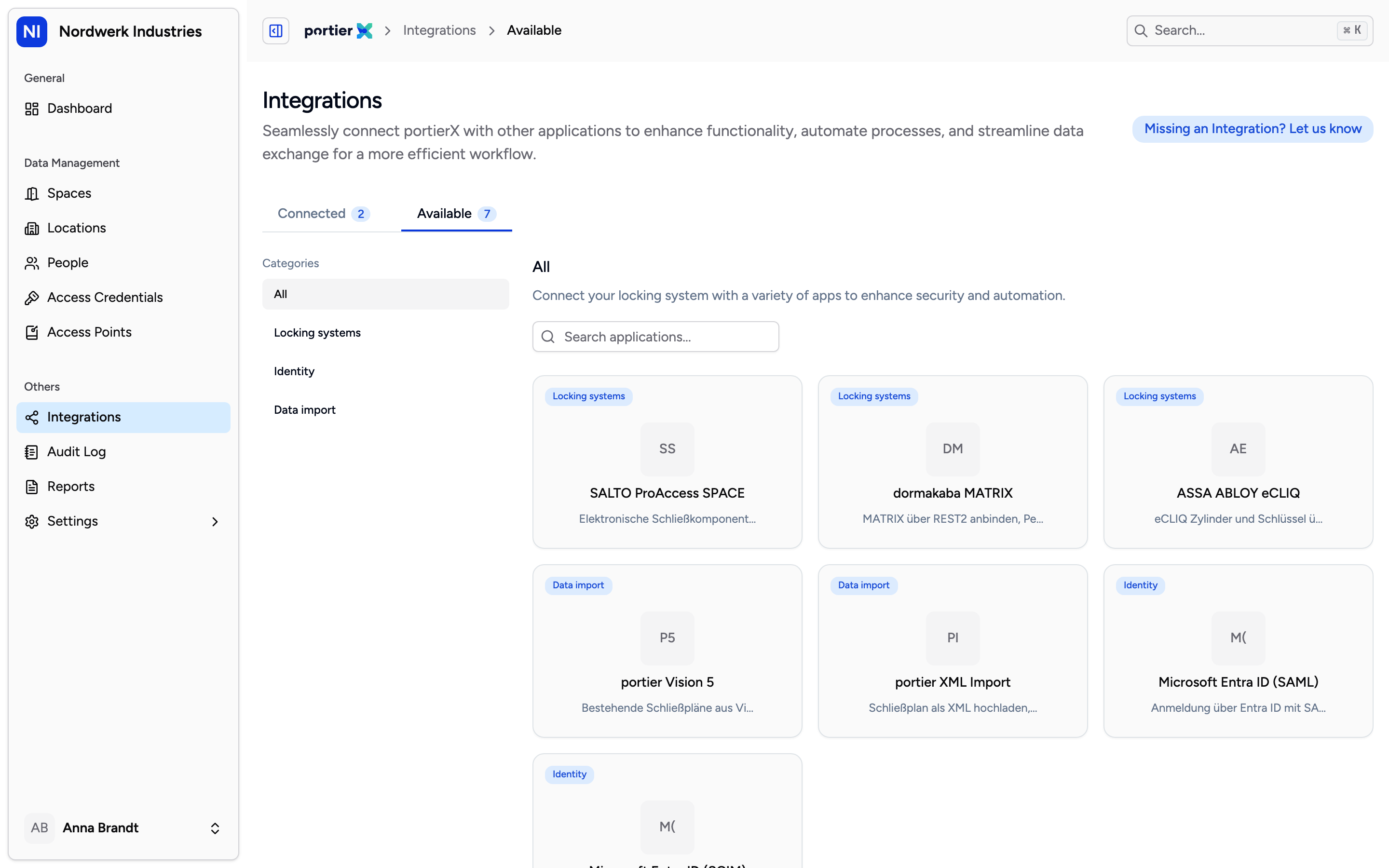
The catalogue shows every connection side by side. SALTO is connected with credentials you enter, not with a file upload.
The form asks for Locking System Name, URL Host and Secret Key, and all three are required. Those labels come from the connection schema rather than the translation files, so they read in English on the German and French screens too.
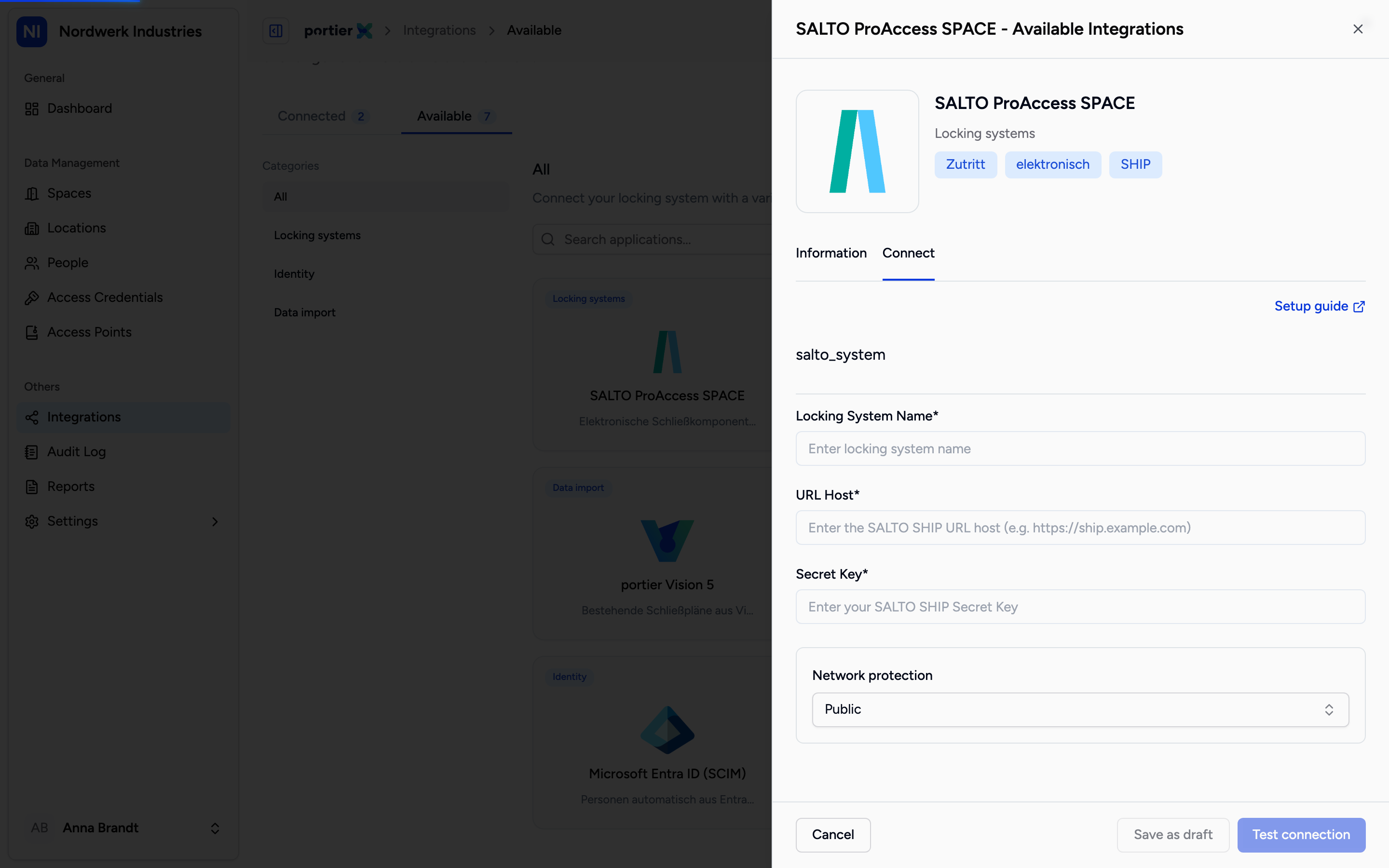
The name is yours to choose and appears in every list afterwards. URL Host is the SHIP endpoint, Secret Key the secret that goes with it.
Below the form sits Network protection with four choices. This section is untranslated in every language, so it reads in English on the German and French screens.
Public: the endpoint is openly reachable. Narrow it with firewall rules to portierX's public IP addresses.
Cloudflare Access: portierX sends CF-Access-Client-Id and CF-Access-Client-Secret with every call.
VPN: the connection runs over your own network and no headers are needed.
"Custom headers": one or more pairs of Header name and Header value that your gateway expects. That wording belongs to the wizard and is not the same control as Custom Headers on the Configuration tab.
You can save the connection as a draft and come back to it. On resuming, leaving the Cloudflare secret blank keeps the stored one. That does not hold for a custom header, where a blank value is always a real edit.
The connection has four tabs: Summary, Configuration, Sync Log and Door Status.
Summary carries Sync Health, Sync Status and Last Sync. Test Connection checks that the system answers, Start Sync fetches the data. Both have a wait before they can be used again, and the screen names the remaining minutes. Separately, an automatic sync runs every ten minutes.
Until the health check passes, sync stays blocked. The message reads "Sync is unavailable until the connection health check passes." That is the intended order of events, not a fault.
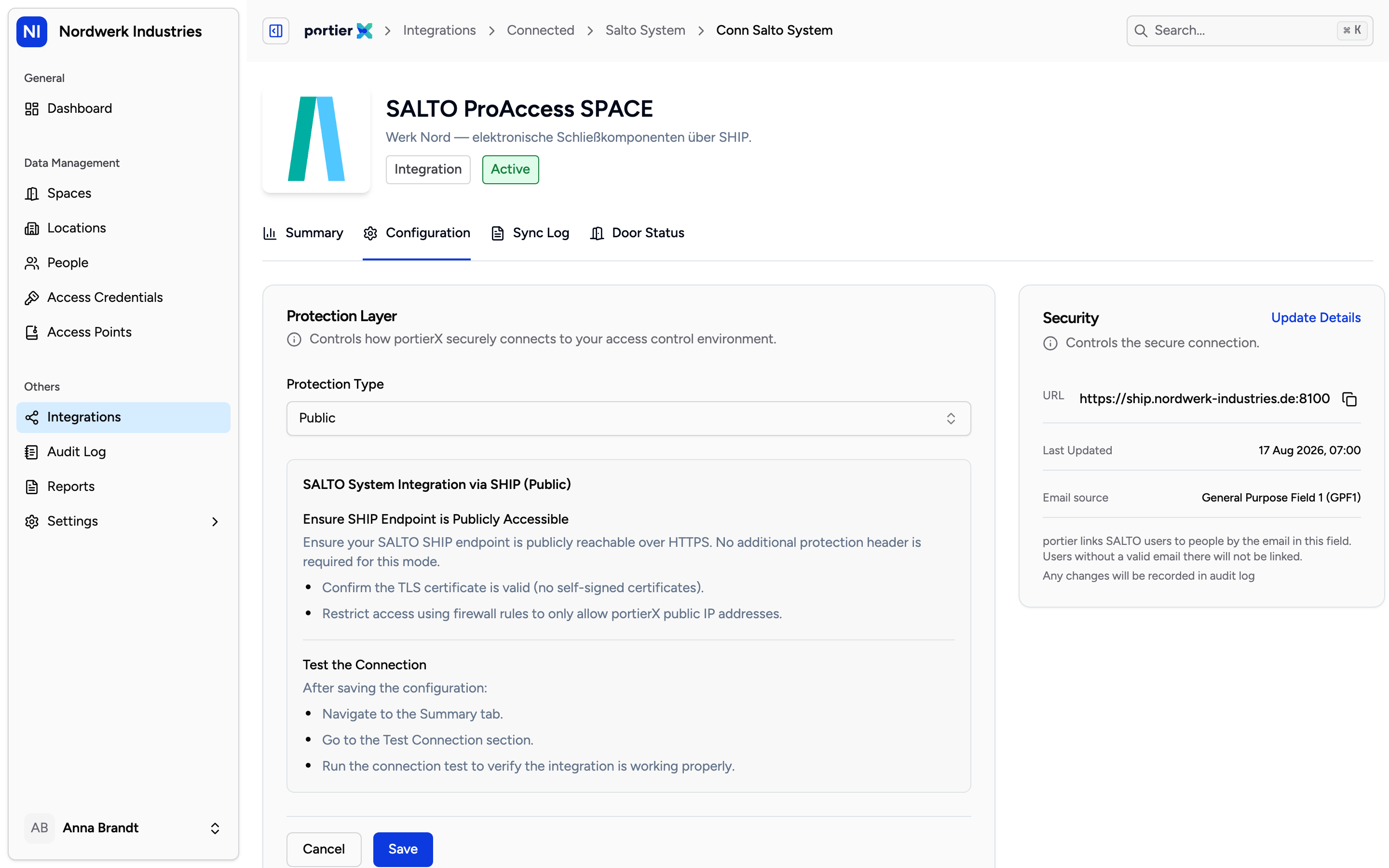
Protection Layer is where you change the protection type and headers later. Security holds the URL and the secret name.
The Configuration tab carries three blocks.
At the top sits a setup guide. It is written into the product rather than translated, so it reads in English in all three languages.
Protection Layer changes how portierX reaches your system after the fact. Download Agent is announced and not yet available, and the product says so itself with "Agent download will be available soon." Custom headers work. The agent does not.
Security shows URL, Secret Name and Last Updated. Update Details opens Update Security Details, where you change the address or the secret. Changes take effect immediately and may briefly interrupt sync. Every change is written to the audit log.
In the same block sits Email source. It tells portierX which SALTO user field to read the email address from, and that is what matches SALTO users to people in portierX. The choices are the external user ID and the five general purpose fields, GPF1 through GPF5. The default is GPF1.
If a SALTO user has no valid address in that field, that user is not matched to a person. A change takes effect from the next pull, not retrospectively. This section is untranslated as well and reads in English.
Download Agent is not available yet. If your SHIP endpoint cannot be made publicly reachable, VPN and Cloudflare Access are the paths that work today.
The connect wizard and the setup guide read in English on the German and French screens. The connection itself and the tabs that follow are translated.
portierX does not write back into SALTO. Spaces, people and assignments you create in portierX stay in portierX.
