The audit log is the record of what happened in portierX. Every entry names who acted, what they acted on, and when.
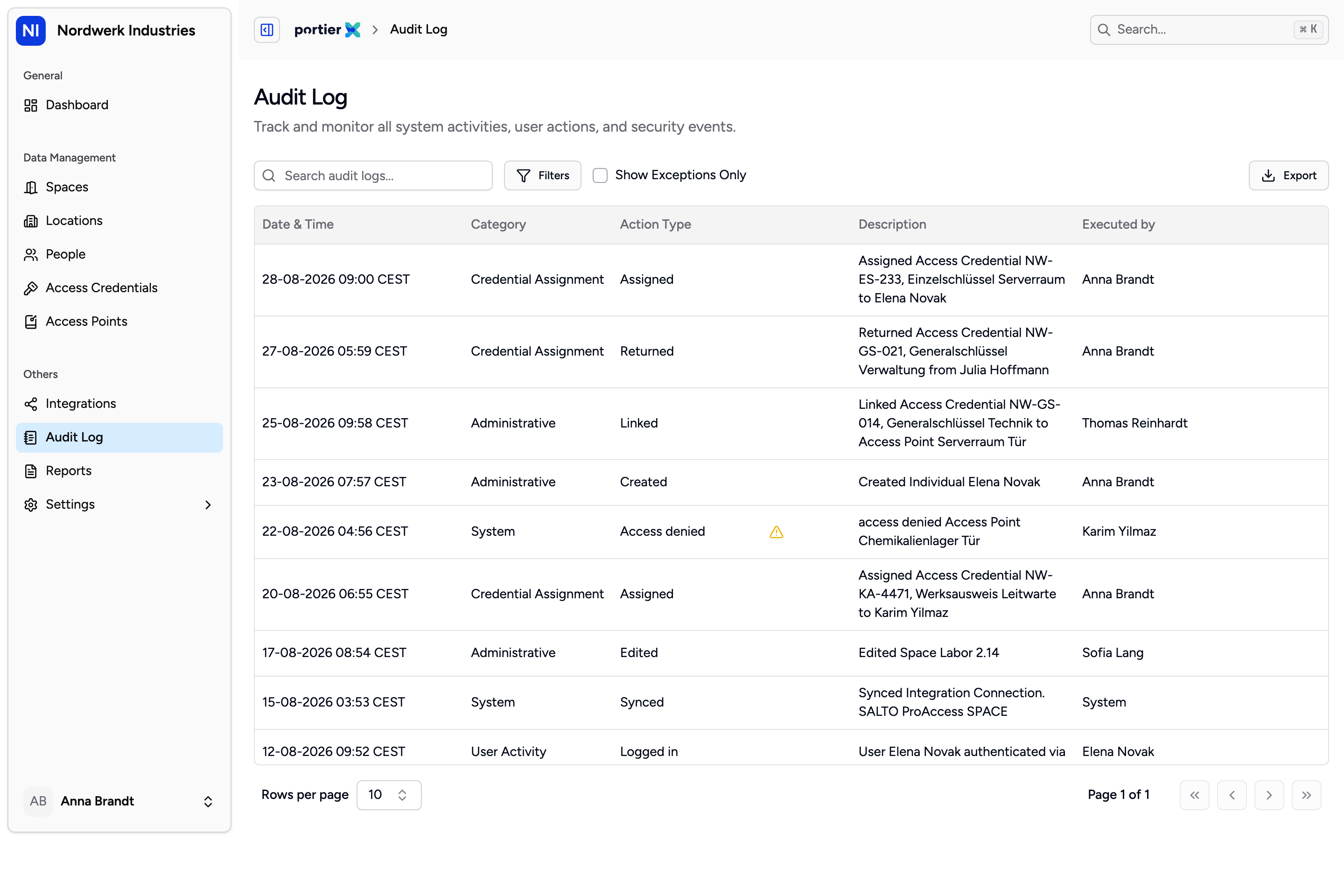
Newest first. The Description column is already a finished sentence, so you can read a page without opening a single entry.
Category | What lands in it |
|---|---|
Administrative | Records created, edited and deleted. Access points linked to and unlinked from a credential. Changes to a user's roles. |
Credential Assignment | A credential handed over, returned or cancelled, and the life of a lost or damaged key report. |
User Activity | Sign in and sign out, failed sign ins, and refused actions. |
System | Imports, exports, and every sync with a connected locking system. |
The columns are Date & Time, Category, Action Type, Description and Executed by, with times in your own timezone. A yellow warning triangle marks an event that failed. Click a row for the full entry and its Context tab.
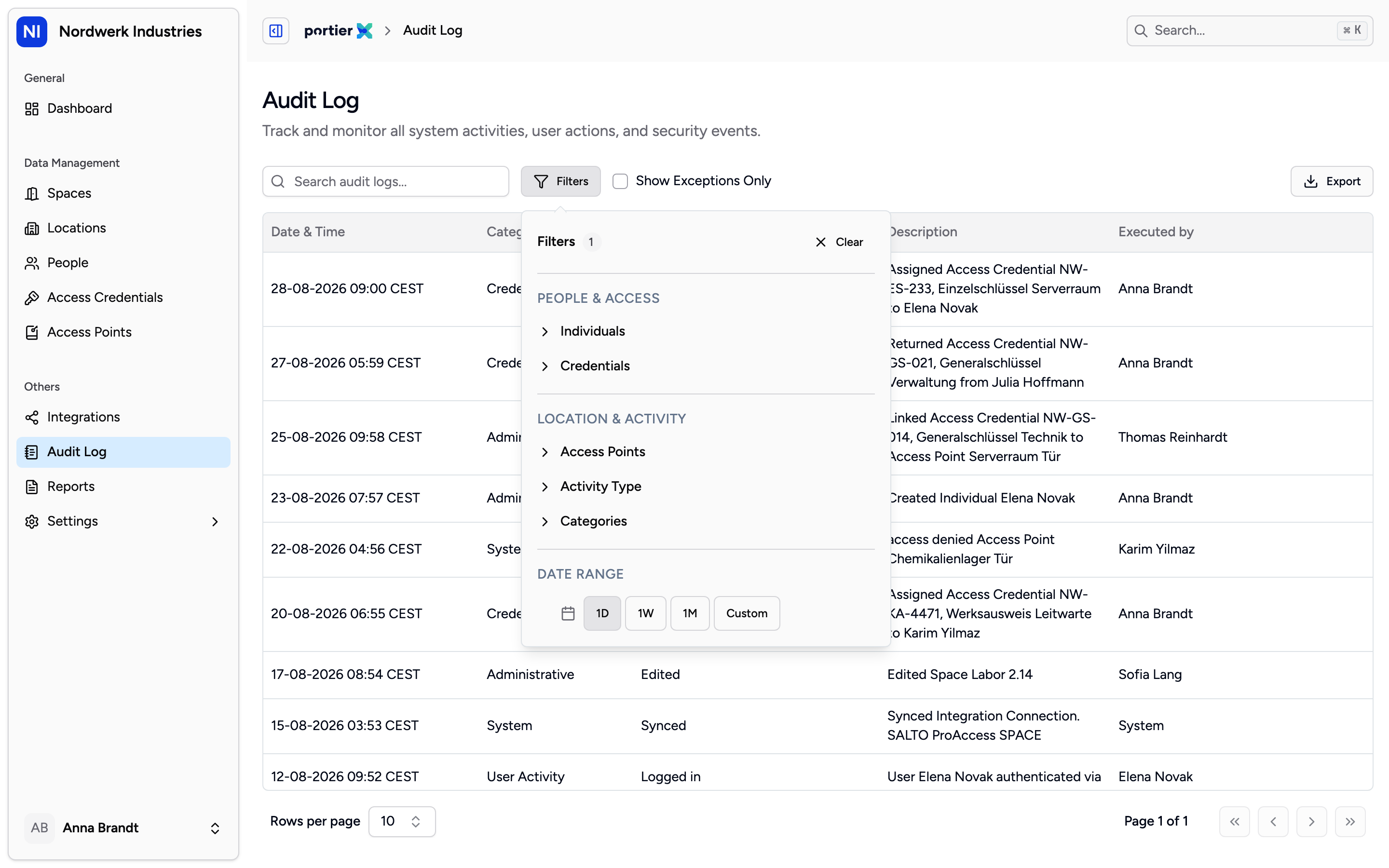
Open the Filters panel and a number sits beside the heading. It counts the values you have ticked, not the filters, and it is the quickest answer to why a list is shorter than you expected.
Filters holds six, in three groups: Individuals and Credentials, then Access Points, Activity Type and Categories, then Date Range with 1D, 1W, 1M and Custom. Beside it sit the search box and Show Exceptions Only, which cuts the list to what failed: refused sign ins, failed syncs, failed imports and exports, overdue credentials.
The page opens on the last 24 hours. That is the one that catches people. An empty list for something three weeks old is the date range, not the record.
Search matches the names in the entry and the action code underneath, not the finished sentence in Description. A word you can see on screen can return nothing. Use Activity Type instead.
Every filter is held in the address bar. Bookmark a filtered view, or send the link to a colleague, and they land on the same list.
Export opens the Export Audit Logs panel. File Type offers CSV Comma, CSV Semicolon and Excel (.xlsx). Use CSV Semicolon for a German Excel. Below that, Current Filters states what is going into the file before you commit.
The export inherits whatever filters are active. Not the page on screen, not the ten rows in front of you. Every matching row, across every page. Where Current Filters shows All against a line, that filter is narrowing nothing.
The file carries the whole entry, IDs and target included. Occurred At is when the thing happened, Created At when it was written down, so quote Occurred At. The export is itself logged, and the button belongs to the Organization Admin and the Access Manager.
Open an access point, then its Audit Log tab, for everything portierX did to that door. An access credential has the same tab, for the life of that key. Both are already scoped and neither starts on the 24 hour default, so for a question about one door or one key they beat filtering the whole page.
The log holds the action, the actor, the thing affected, the time and the detail behind it. Enough for compliance evidence. Not enough to reconstruct an incident in full, and worth knowing before someone asks.
It records what people did in portierX. Doors being opened is not part of that, and neither is anything from another system. No camera footage, no visitor check in, no turnstile records.
The Audit Log tab inside a space is not yet scoped to that space. It shows the whole organisation's record. Use the tab on the access point, or the Access Points filter.
The space and access point tabs carry search and paging only. The access credential tab adds Activity Type, a date range and Show Exceptions Only. The full Filters set and Export live on the Audit Log page.
There is no retention setting inside portierX. How long the record is kept is agreed with portier.
